
Sign Out Individuals when In Muster Mode
Once muster mode has been activated, individuals can be signed out rather than accounted for if needed. To do so, select the checkboxes to the left of the individuals you wish to sign out.
Selecting the checkbox in the top row will select all entries.
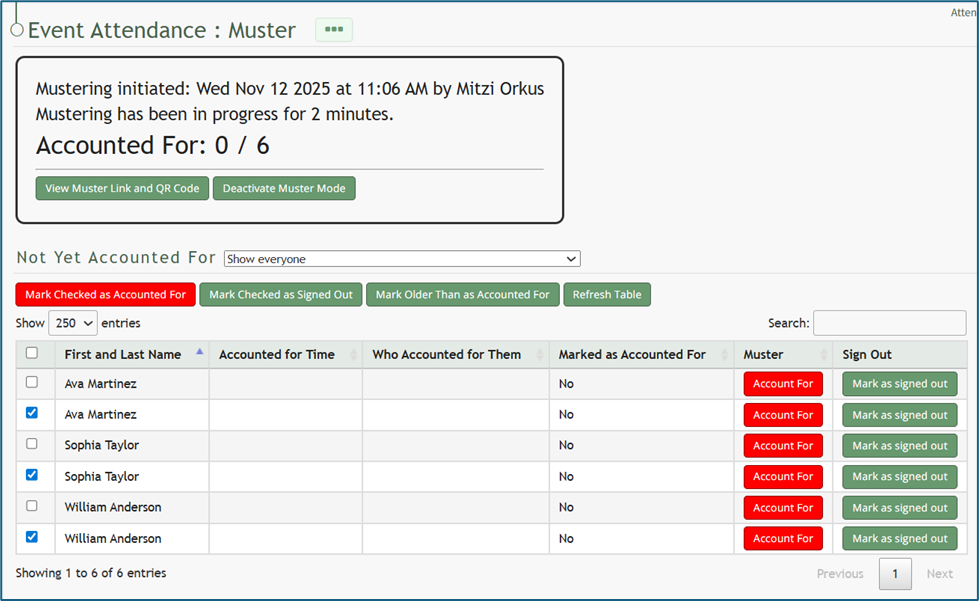
Click the “Marked Checked Out as Signed Out” button above the table.
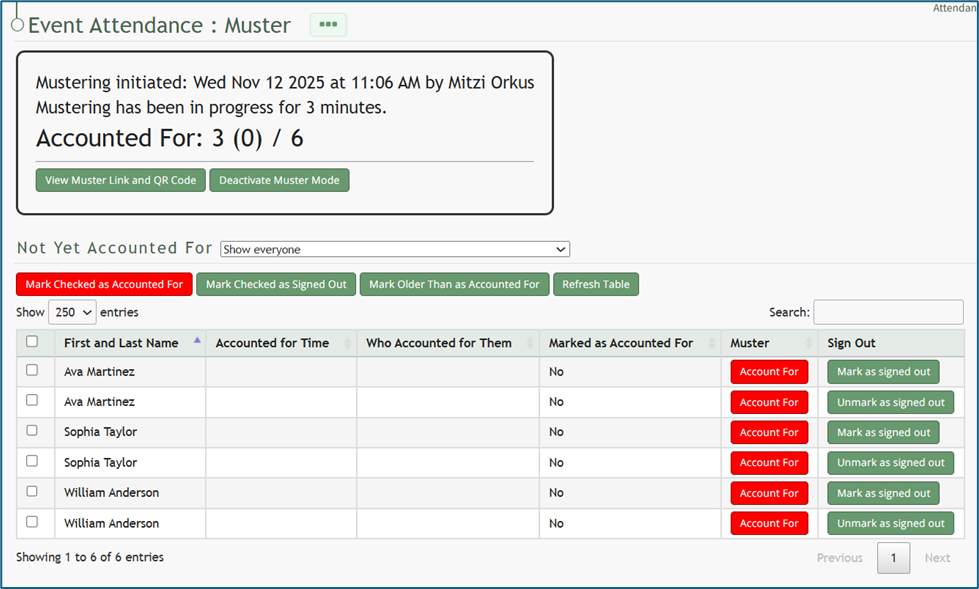
The summary box at the top of the muster page now shows those individuals that were signed out as (indirectly) accounted for.
If an individual was signed out in error, you can select the “Unmark as Signed Out” button to correct the issue.
No comments to display
No comments to display