
Delete a Certification Role
To permanently delete a certification role, select the Roles in the People Module from the Main Menu to open the Certification Roles Page.
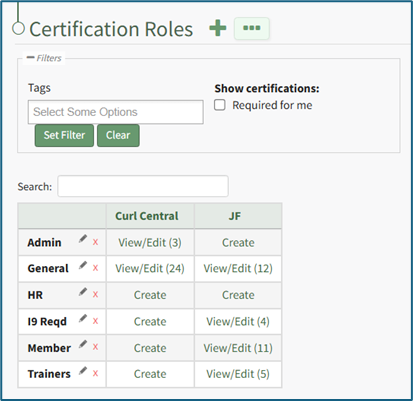
Identify the certification role you wish to permanently delete and click the “View/Edit (#)” clickable link associated with it to open the certification role's Details Page. Select the Role Info Tab.
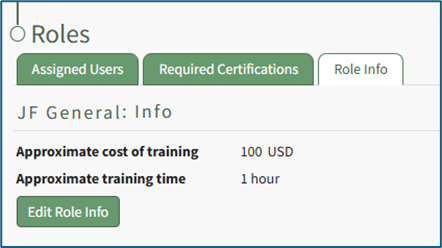
Click the “Edit Role Info” button to open the certification role's Edit Info Page.
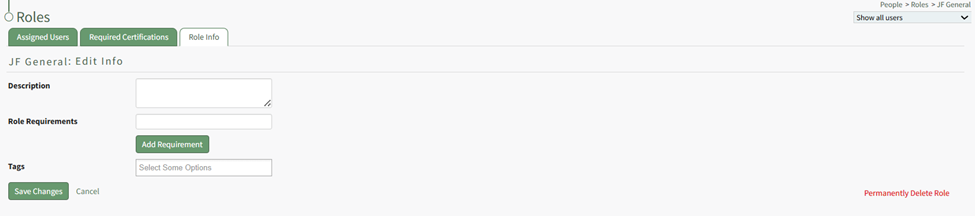
Click “Permanently Delete Role” from the bottom right-hand corner of the Edit Info Page to delete the Certification Role, opening a Deletion Confirmation Modal.
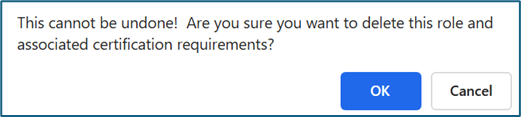
The modal states “This cannot be undone! Are you sure you want to delete this role and associated certification requirements?” Click the “OK” button to permanently delete the certification role.
Deleting a Certification Role does not delete associated Certifications or users, but rather the Certification Requirements assigned to users by the Role.
No comments to display
No comments to display