
Add Approvers to a Dispatch
To add approvers to a dispatch, open the specific dispatch you wish to add approvers to. Go to the Dispatch Module Home Page and alter the filter view as needed. Click the Dispatch Number or Title to open the specific dispatch details page.

Approval can be required for any dispatch status change (Scheduled, Ready to Dispatch, Dispatched, Completed, Canceled, and Archived). Approvers can be added to a dispatch by selecting the plus sign icon to the right of the People column header.

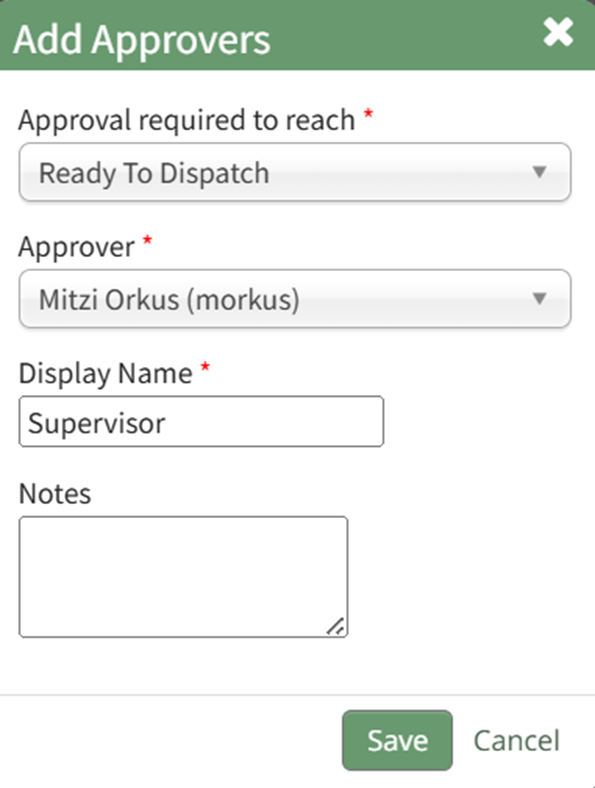
Selecting the plus sign icon to the right of Approvers opens the Add Approvers Modal.
The first dropdown menu opens to dispatch statuses.
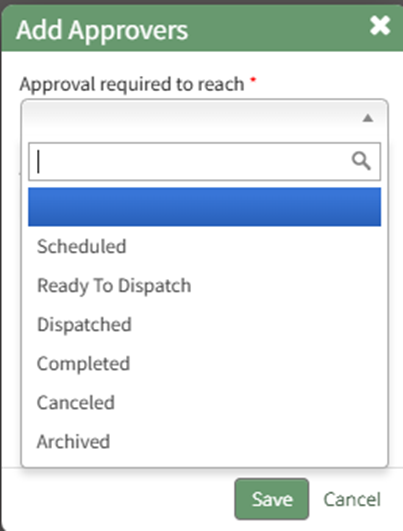
Select what part of the dispatch process needs approval.
Use the second dropdown menu to select the user or role that needs to approve the status change.
Edit the display name if desired and select the “Save” button.
The approvers and the status their approval is required to reach are now displayed on the Dispatch Details Page.
No comments to display
No comments to display