
Delete a Chart
To delete a chart, go to the Charts Page of the Reports Module.
To be able to delete a chart, you must be the individual who created the chart.
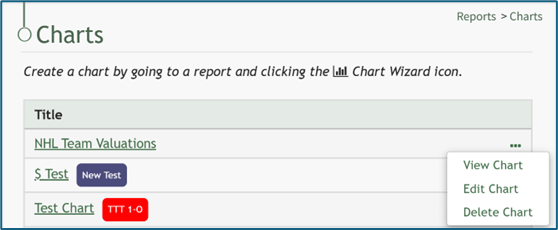
Click the three-dot icon to the right of the chart you wish to delete, and select the “Delete Chart” option. This opens the Delete Chart Confirmation Modal which states, “Are you sure wish to delete this chart?” The modal also states the title of the chart being deleted.
If the chart had Share this Chart enabled, deleting the chart will remove its visibility from all individuals it was previously shared with.

Click the “Delete” button and a Confirmation Modal states, “This chart has been deleted.”

No comments to display
No comments to display