
Edit an Inventory
To make edits to an existing inventory, go to the Home Page of the Inventory Module.
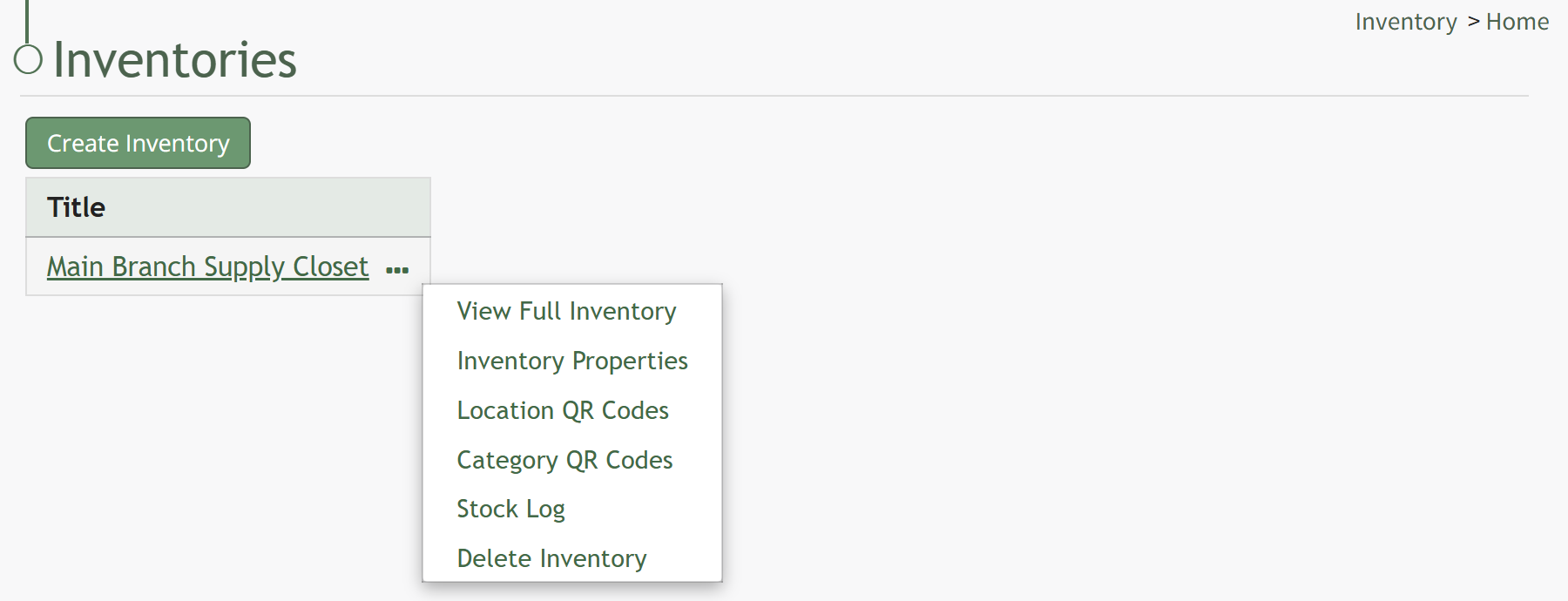
You can access a specific inventory by clicking the inventory title or by clicking the three dot (…) icon to the right of the inventory title and selecting “Inventory Properties”.
This opens the Inventory Properties Modal.
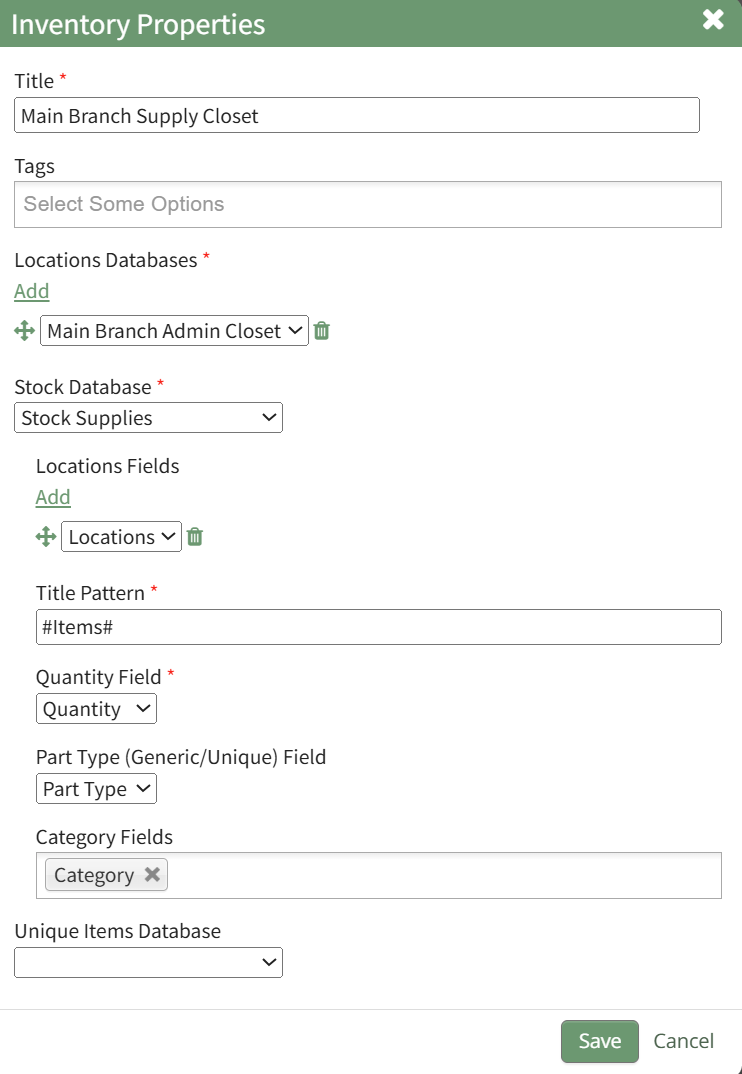
From this modal, the title, tags, integrated databases selected, and the formatting for the way inventory items are displayed in an inventory can be altered. Make your desired changes to the inventory properties.
Click “Cancel” to return to the full inventory without changes being saved. Select the “Save” button to record the changes to the inventory properties and return to the Inventory Page.
No comments to display
No comments to display