
View the Fields Associated with an Asset Type
To view the information associated with an asset type, go to the Asset Types Tab on the Settings Page of the Assets Module. Click the three-dot icon to the right of the asset type whose details you wish to view opening the Asset Type Context Menu.
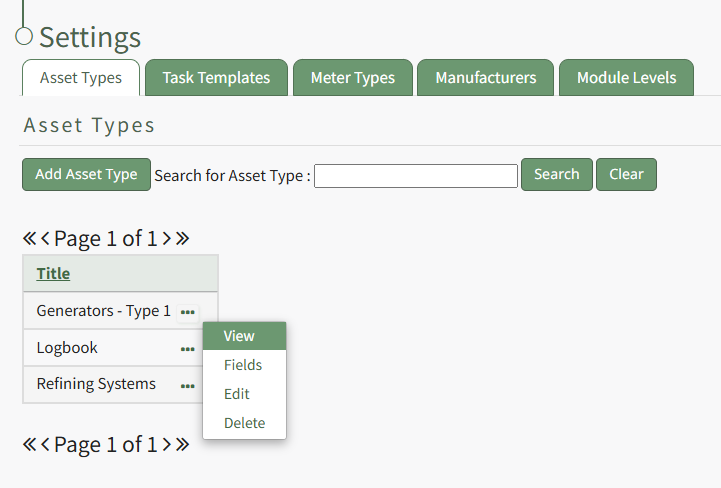
Select "View" opening the View Asset Type Modal, stating the title of the Asset Type and the fields that are associated with it.
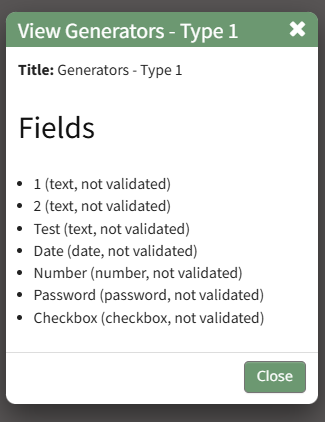
The View Asset Type Modal is read-only.
Select the "Close" button and return to the Asset Types Tab.
No comments to display
No comments to display