
Delete an Asset or Component
To delete an asset or component, it must first be archived.
How To: Archive an Asset or Component
To archive an asset or component, go to the Manage Assets Page of the Assets Module on the main menu. Use filters as needed to identify the asset or component you want to archive and click the three-dot icon to the right of the asset title opening the Manage Asset Context Menu.
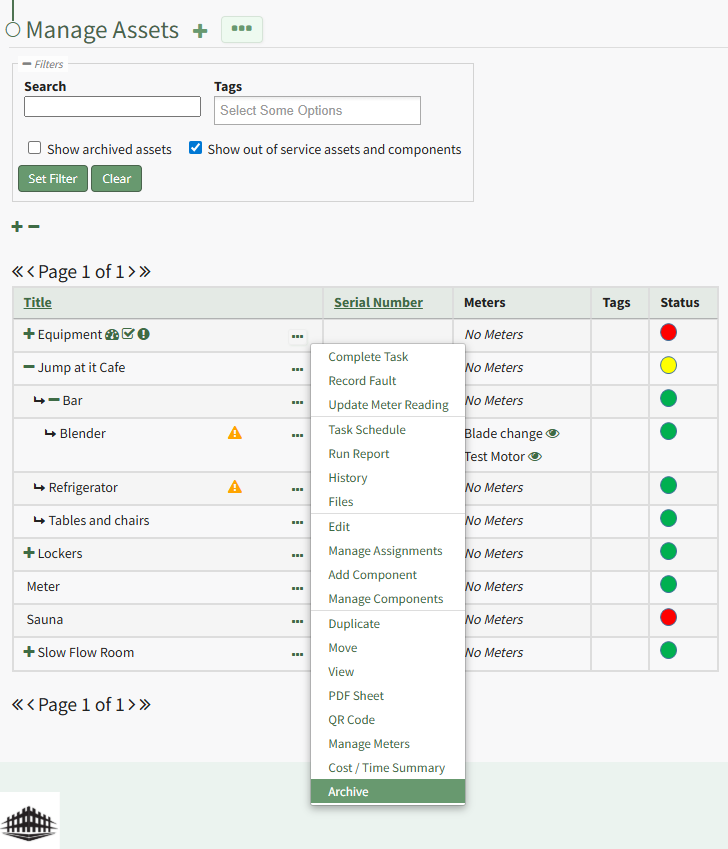
Select "Archive" from the context menu opening the Archive Asset Confirmation Modal which states, "Are you sure you want to archive this asset? This will also archive any components."
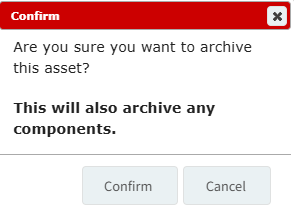
Click the "Confirm" button and the asset will not be assigned an archive status.
To delete an archived asset or component, open the Manage Assets Page of the Assets Module. Select the three dot (…) icon to the right of the asset/component that you wish to delete, opening the context menu.
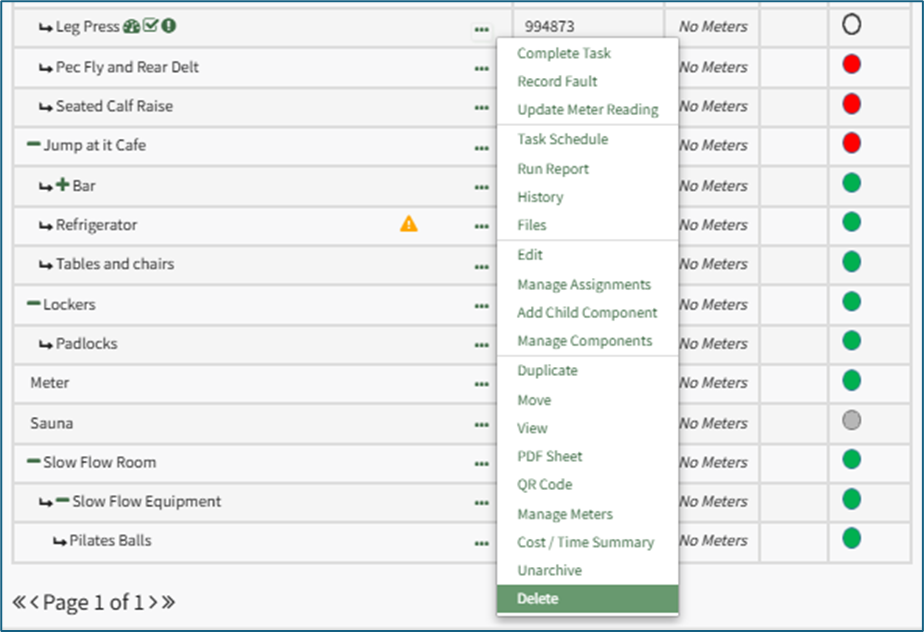
Select “Delete” opening a Confirmation Modal that states, “Please confirm that you wish to delete ASSET NAME. This will also delete any tasks and subcomponents.”
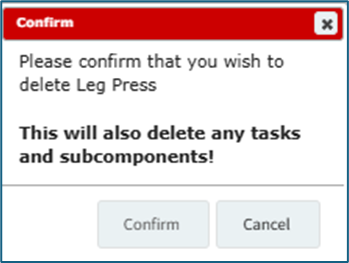
Select “Confirm” and the asset/subcomponent will no longer show in the Asset Table on the Manage Assets Page.
No comments to display
No comments to display