
Create a Footer for a Dispatch Distribution List

This opens the dispatch details page.

The edit dispatch properties icon is immediately to the right of the dispatch status. Click it to open the Dispatch Properties Modal.
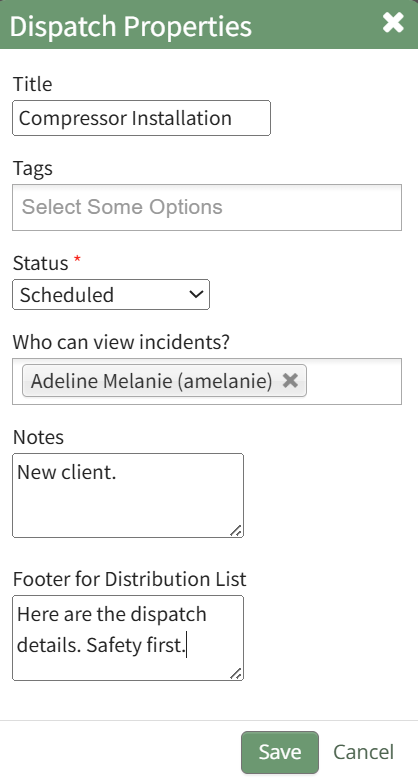
Add the desired footer for the distribution list and select “Save” returning to the specific dispatch page.
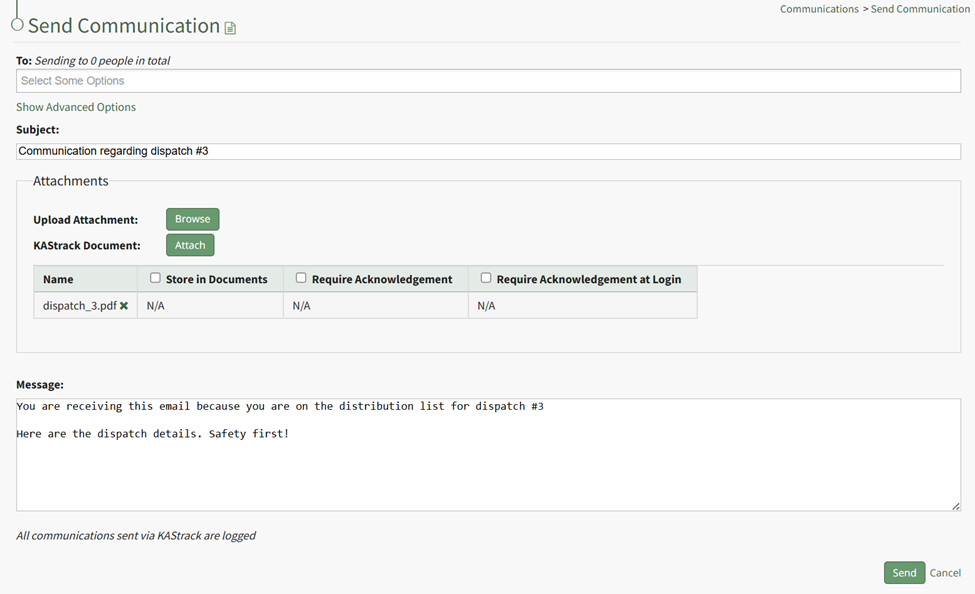
No comments to display
No comments to display