
Enable the Display Page
To enable the Display Page for an attendance log, open the attendance log you wish to enable the Display Page feature in by going to the Home Page of the Attendance Module and clicking the three-dot icon to the right of the attendance log’s name, opening the context menu.
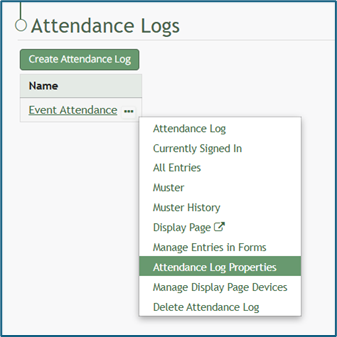
Select “Attendance Log Properties” from the context menu, opening the Attendance Log Properties Modal.
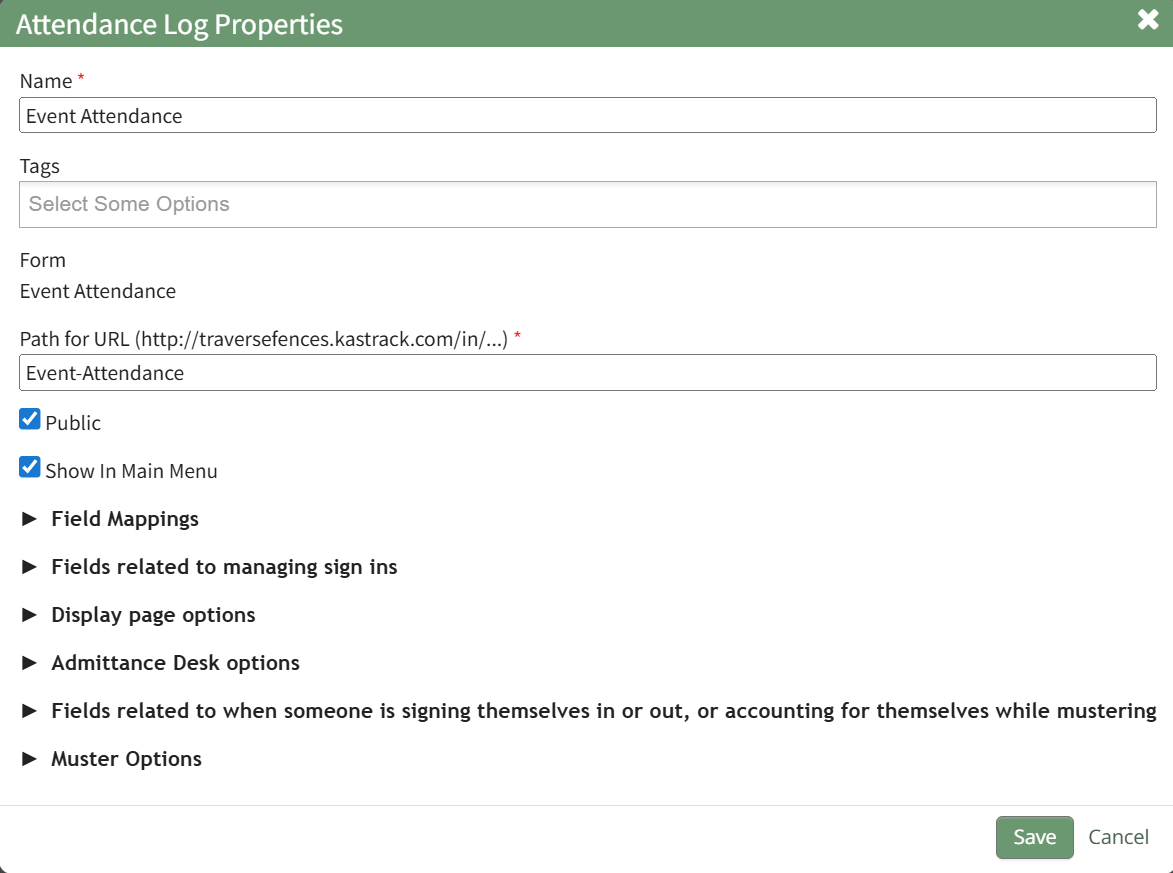
Click the arrow to expand the Display Page Options section.
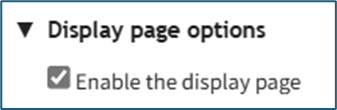
Select the “Enable the Display Page” checkbox and select “Save” at the bottom of the Attendance Log Properties Modal. The Display Page is now enabled for Attendance Log.
No comments to display
No comments to display