
Create a New Module Level (People Module)
To create a new Module Level in the People Module, select the Module Levels Tab on the Settings Page in the People Module on the Main Menu.
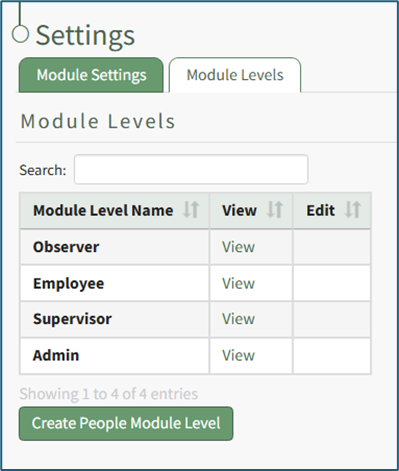
Select the “Create People Module Level” button opening the Create People Module Level Page.
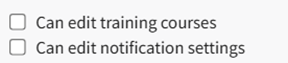
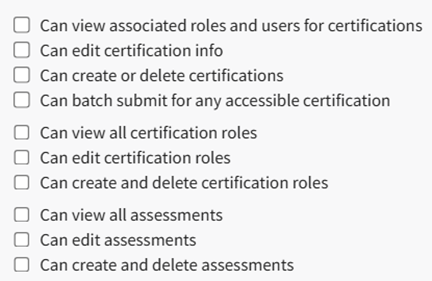
Input the new Module Level Name and select the permissions for the new user group by selecting the desired checkboxes. A comprehensive list of permissions is shown in the table below.
People Module Possible Permissions Organized by Permission Category | |
Permission Category | Possible Permissions |
My Account |
|
Reports |
|
Non-Supervised Users |
|
Supervised User |
|
Administration |
|
General Permissions |
|
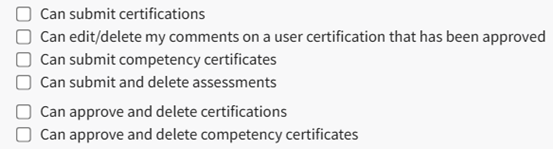

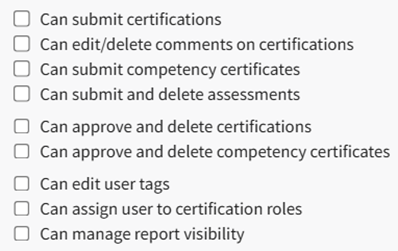
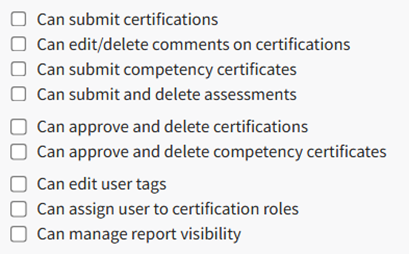
A list of the module level hierarchy is provided at the bottom of this screen.
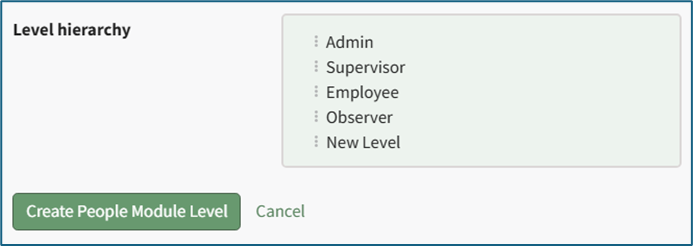
The different module levels can be dragged and dropped as needed in order to quickly and accurately organize as desired.
No comments to display
No comments to display