
Access A File's QR Code / URL Link
To access a QR Code/Link for a file in the Documents Module, open the Document Module Home Page from the Main Menu and navigate your folders to access the desired file.
Access will only be given to users who have permission to view the file unless the document has been indicated as public.
Click the vertical three-dot icon to the far right of the file, opening the file's context menu. Select the QR Code/Link option.
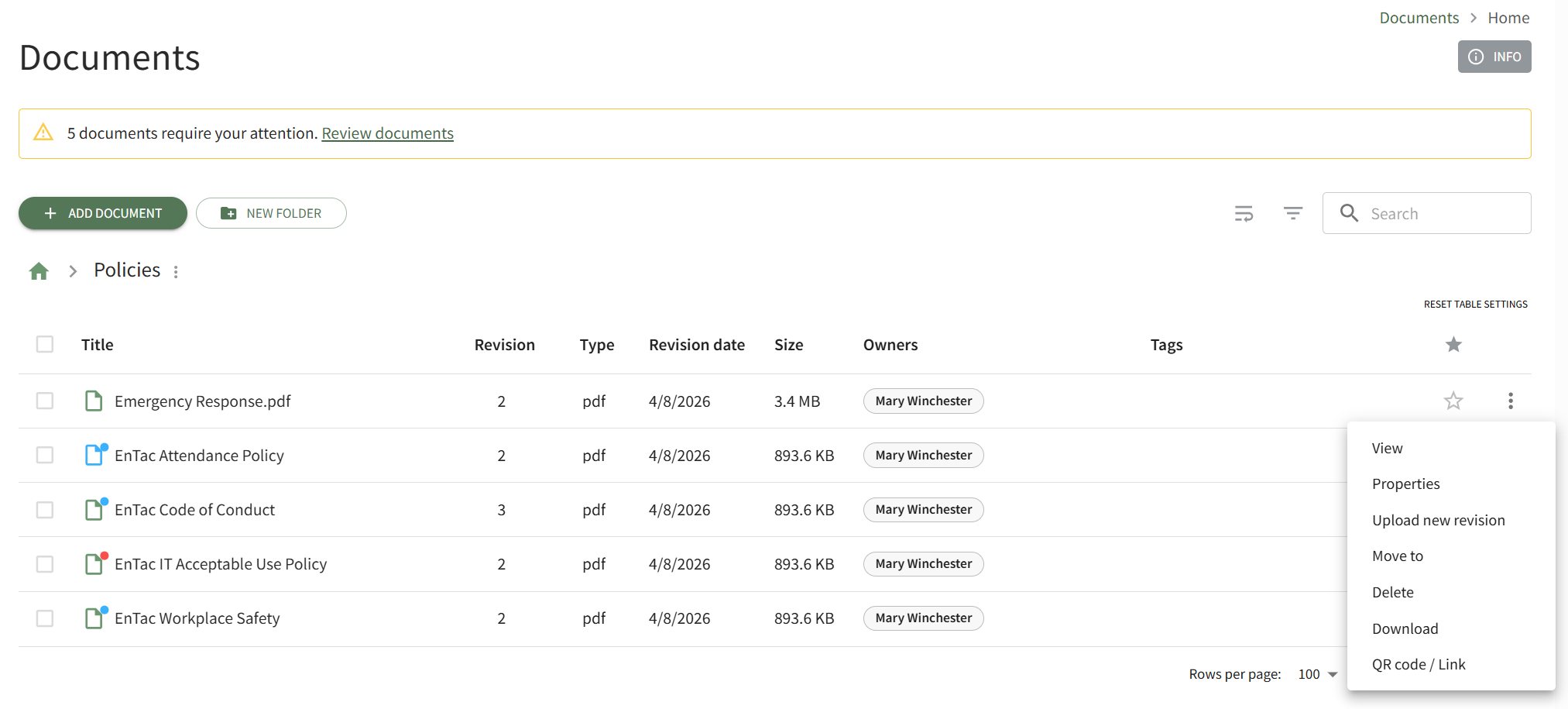
This opens the Direct Access Modal.
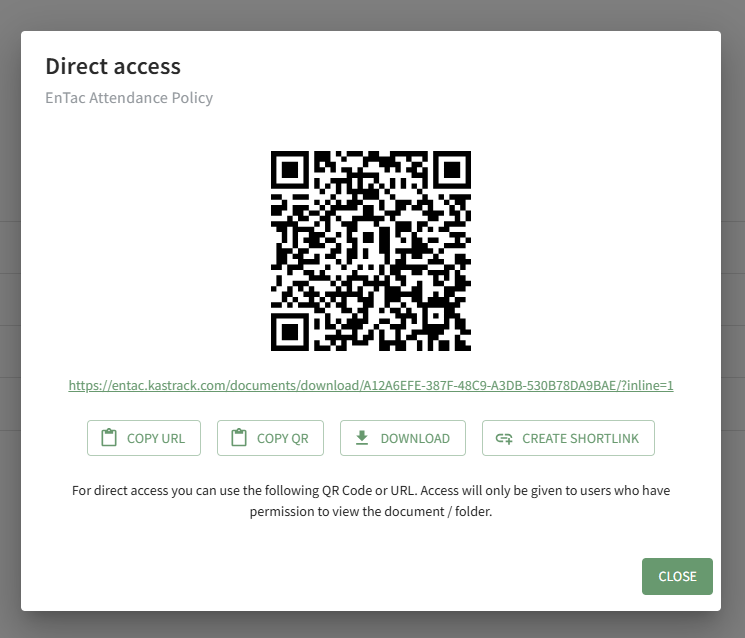
From this modal, you can copy the URL Link and/or copy the QR code.
Clicking the Download button will automatically download the file to the user's personal device.
Clicking the Create Shortlink button will generate a shortened URL link for file and display it on the modal.
No comments to display
No comments to display