
Assign Users to a Certification Independent of a Required Certification Role
To assign a certification independent of a required certifications role, select Certifications in the People Module from the Main Menu to open the Certifications Page.
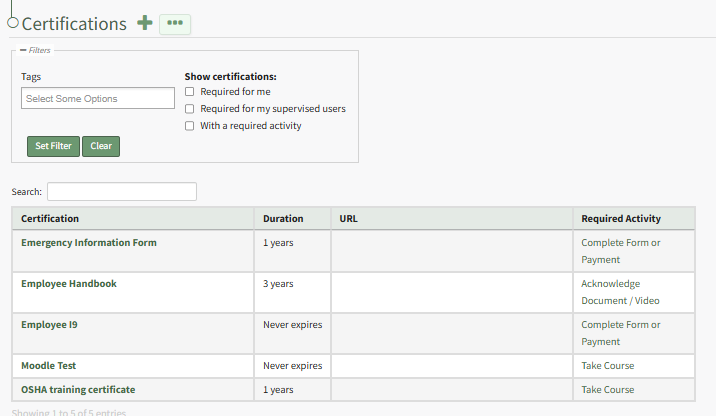
Click the name of the certification you wish to add users to independently of a required certification role opening the specified certification's Details Page. Open the Associated Users Tab.
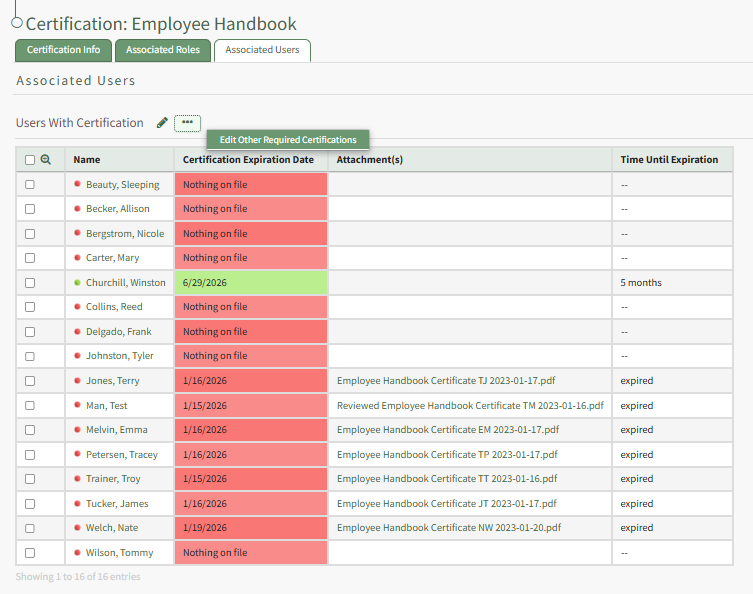
The pencil icon and the context menu option to "Edit Other Required Certifications" both initiate the same action, opening the Select Assigned Users Modal for the specific certification.
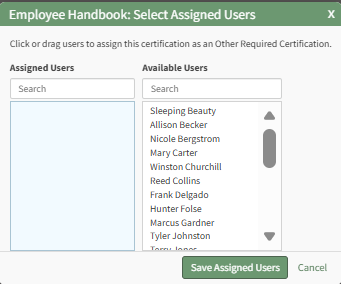
Clicking a user in one column will move them to the other. After selecting the users you wish to assign to the certification independently of their certification roles, click the Save Assigned Users button.
The users selected will now show on the Users with Certification table.
No comments to display
No comments to display