
Add A Budget Alert for an Action Group
To add a budget alert for an action group, edit the group from the Groups Page, or go to the Actions Home Page and click the title of the action group you wish to create a budget alert for.
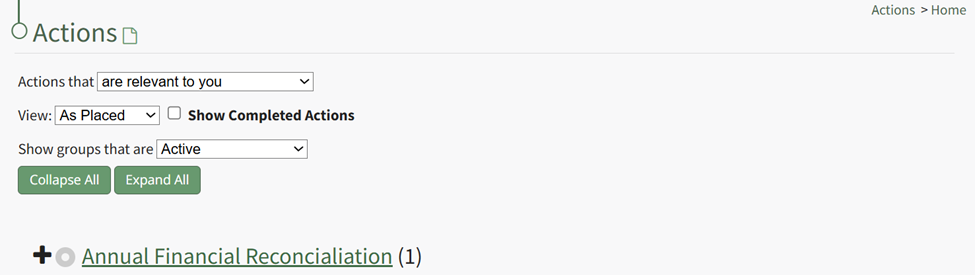
This opens the specific action group page. The second icon to the right of the action group header is the edit action group icon.
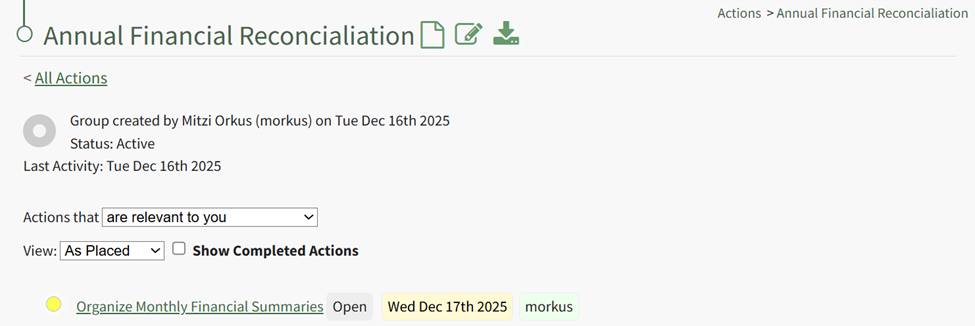
Select the Action Group Properties Icon, opening the Action Group Properties Modal.
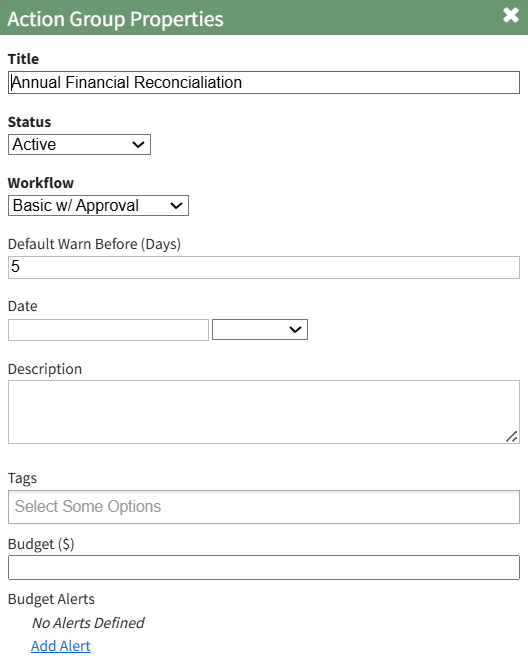
Select the clickable “Add Alert” link, expanding the modal to include new fields.

The alert can be triggered by the amount remaining in the budget falling below a specified amount, or if the percentage remaining falls before a specified percentage. Budget alerts can be sent to users or roles.
Input the preferred alert specifics and select add. The newly saved budget alert will show as saved in the modal.

Multiple budget alerts can be customized within the action group.
No comments to display
No comments to display