
Approve a Submitted Certification Pending Approval
To approve a submitted certification that is pending approval, open the Pending Approvals Tab on the Submissions Page in the People Module from the Main Menu.
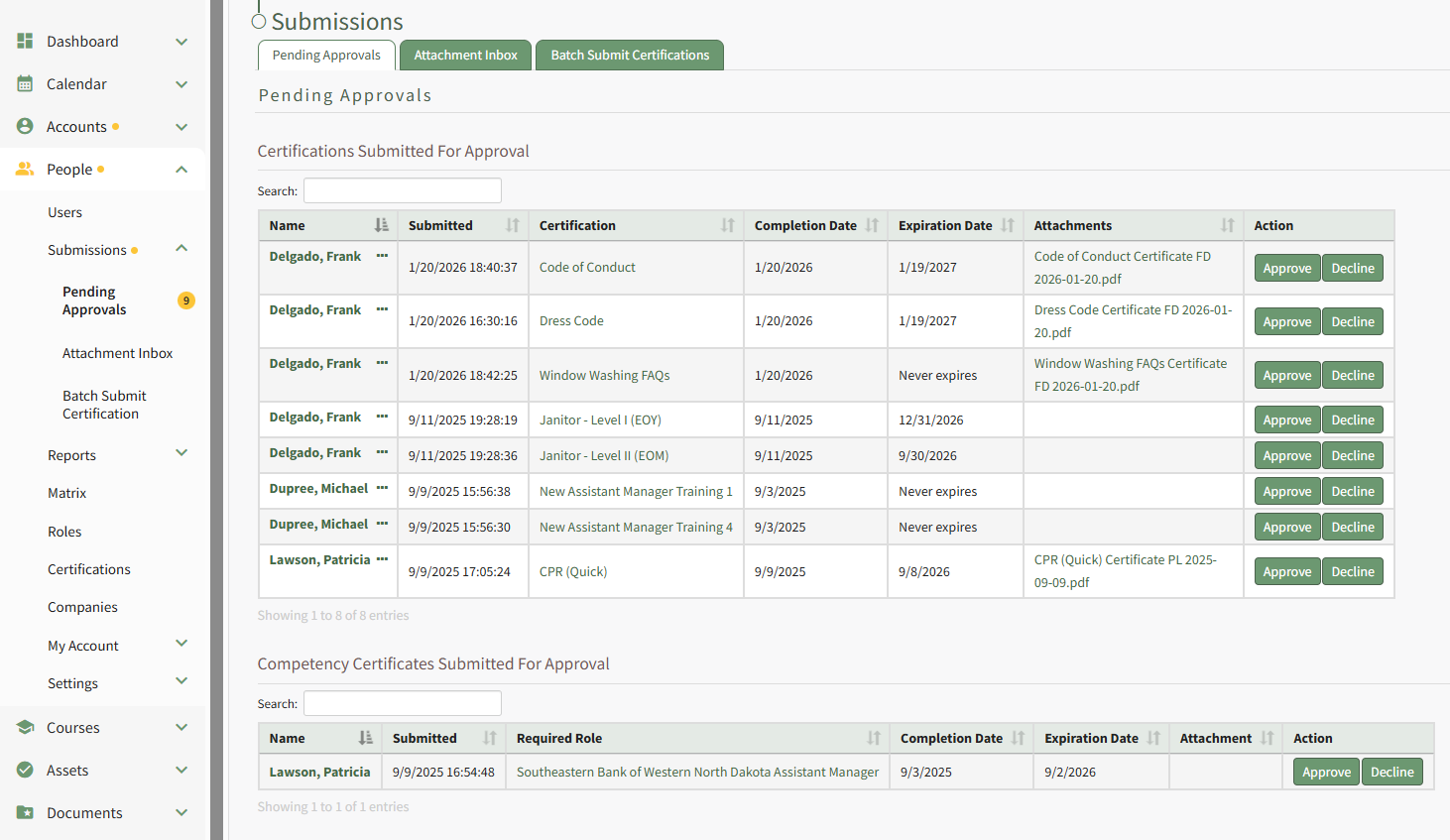
To approve the certification, click the Approve button in the Action column specific to the certification you want to approve. Selecting Approve from the context menu will initiate the same action.
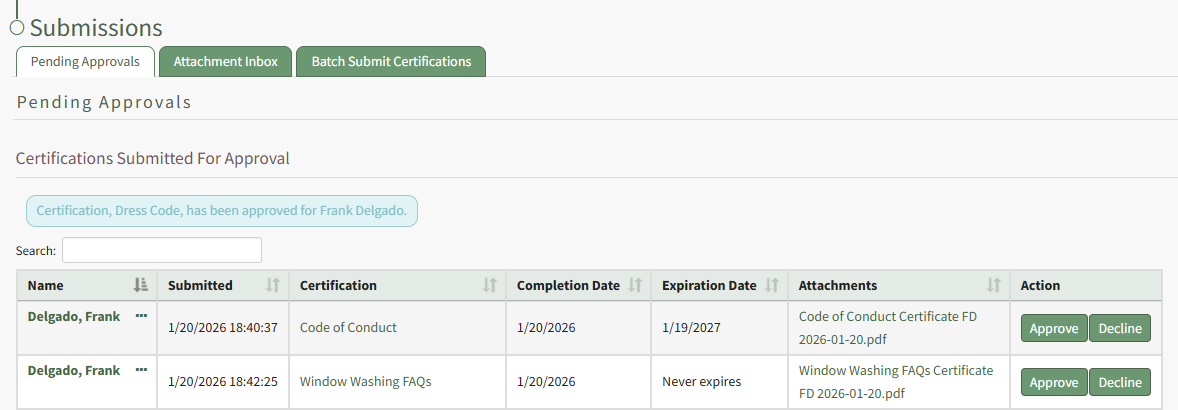
A text box confirms that the certification was approved, and it is no longer visible on the Pending Approvals Tab.
No comments to display
No comments to display