
Add an Activity to a Dispatch Itinerary
To add an activity to the dispatch itinerary, go to the Home Page of the Dispatch Module. Click the ID or Title of the specific dispatch you wish to add an activity to.

This opens the Dispatch Details Page.

Select the plus sign box icon to the right of the Itinerary header, opening the Add Activity Modal.
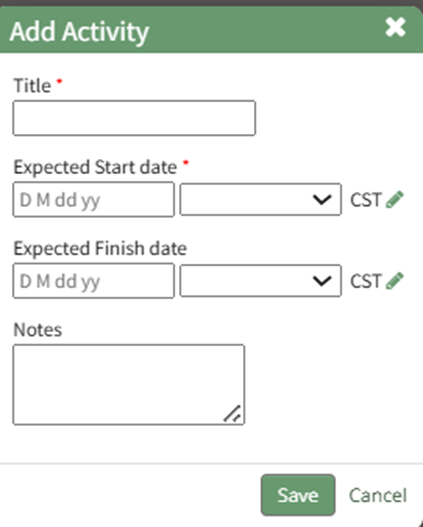
Input the new activity title, expected start and finish dates, as well as any relevant activity note.
Selecting the pencil icon will allow you to edit time zones as needed.
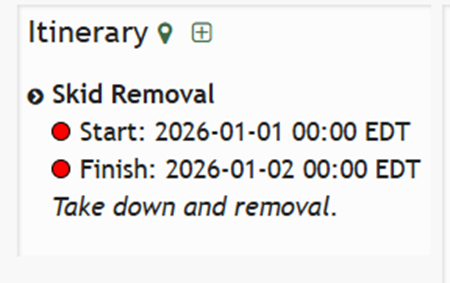
Select “Save” and the Activity now shows on the Dipatch Details Page.
No comments to display
No comments to display