
Create a New Module Level (Finance Module)
To create a customized module level in the Finance Module, go to the Access Levels Tab in the Site Settings Module. Select the clickable link “Finance” to open the Finance Module Levels Table. Select the “Create Module Level” button below the table.

This opens the Create New Budgets Module Level Page.
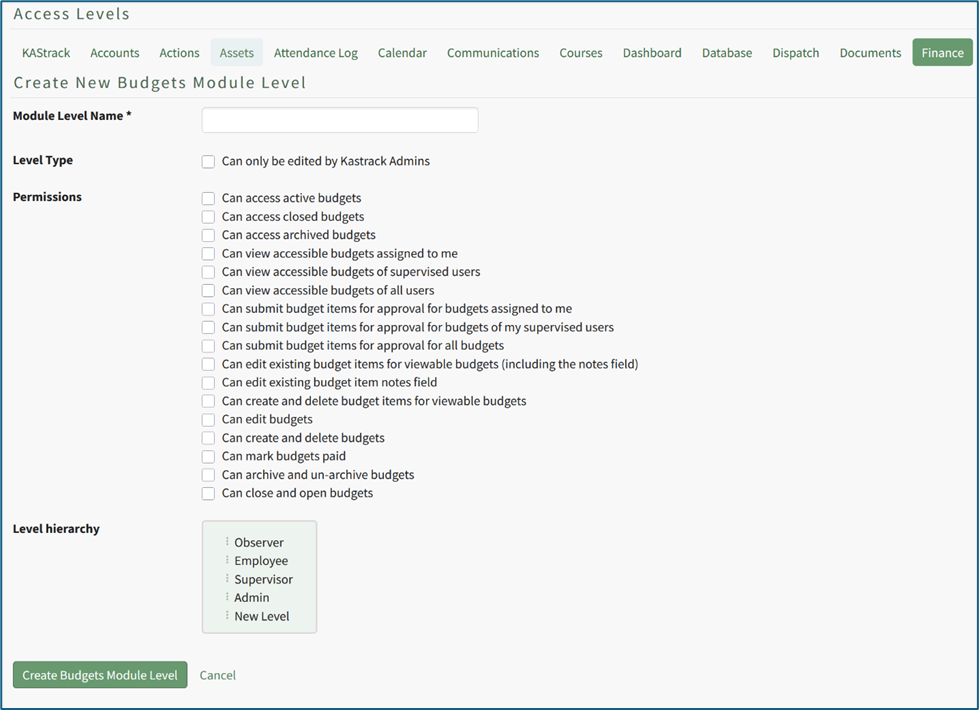
Input the new module level name and select the permissions to be granted to the module level.
Select the “Create Budgets Module Level” button and the new module level will now show in the Module Level Table on the Finance Tab of the Access Level Page.
No comments to display
No comments to display