
Create New Module Levels (Actions Module)
Select the Module Levels Tab on the Settings Page in the Action Module.
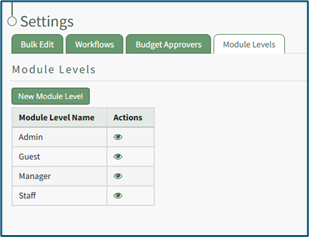
Select the “New Module Level” button, opening the New Module Level Modal.
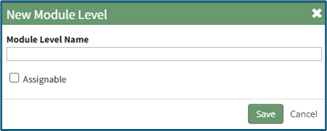
Input the new module level name. Select “Save” and the new module level will show in alphabetical order in the module level table. Click “Cancel” to return to the Module Levels Tab without saving changes.
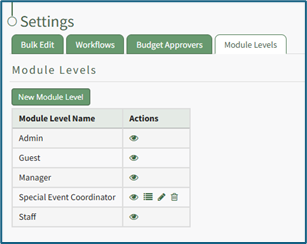
Selecting the bullet list icon will open the Permissions for (Module Level) Modal. A comprehensive list of permissions has been included in the Module Level Tab section.
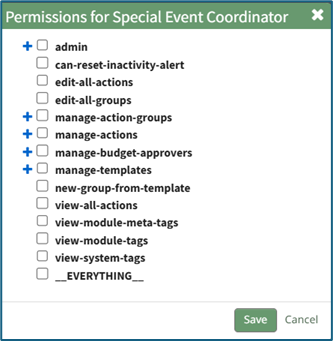
Select the “Save” button after selecting the appropriate permissions, setting the new module level with the customized permissions. Click “Cancel” to return to the Module Level Tab without saving any changes.
No comments to display
No comments to display