
Clean Manufacturers
To clean your manufacturers table, go to the Manufacturers Tab on the Settings Page of the Assets Module.
Cleaning Manufacturers will remove any manufacturers with no name associated with them and to merge any duplicate manufacturers listed.
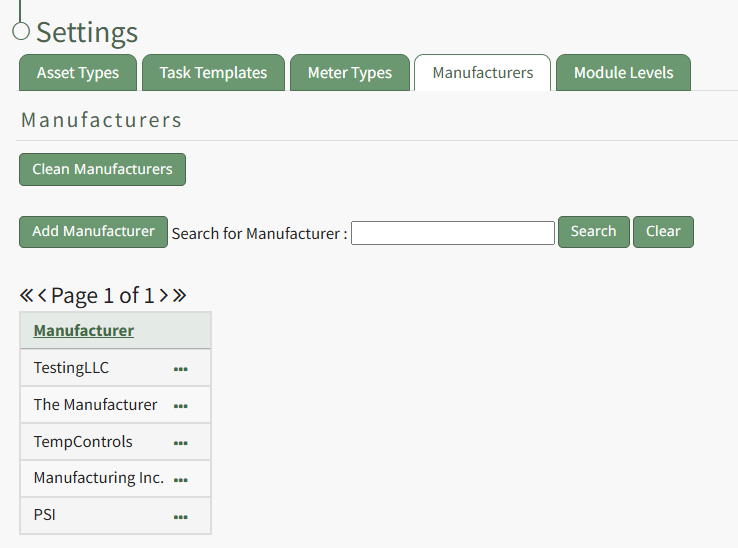
Click the "Clean Manufacturers" button beneath the Manufacturers header opening the Clean Manufacturers page which states, "Please do a backup first. When the backup is done, come back here and press continue." WIKI LINK HOW TO DO A BACKUP BEFORE CLEANING MANUFACTURERS
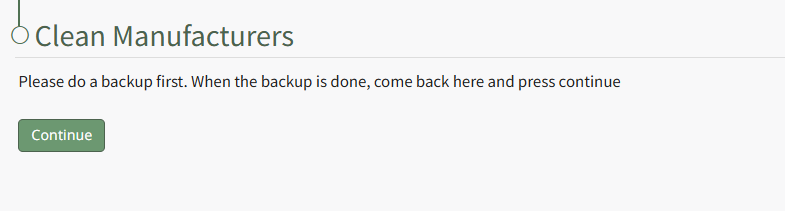
Select "Continue".
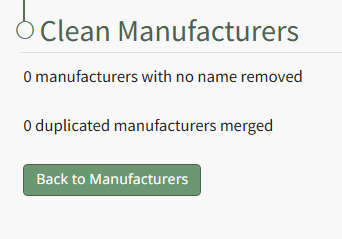
When the cleaning is complete, the system will state the number of manufacturers with no names removed and the number of duplicate manufactures merged. Click the "Back to Manufacturers" button to return to the Manufacturers Tab of the Settings Page.
No comments to display
No comments to display