
Deactivate Muster Mode
Muster mode can only be deactivated from the Muster Page when muster mode has been activated.
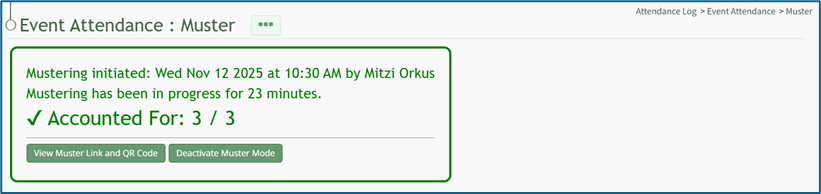
Select the “Deactivate Muster Mode” button, opening the Deactivate Muster Modal. Input any desired Deactivation Notes in the textbox provided.
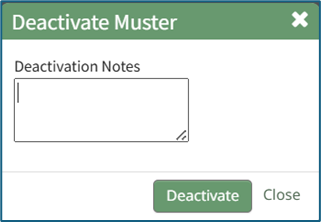
Select “Deactivate” and you will be redirected to the attendance log’s Information Page.
No comments to display
No comments to display