
Edit a File's Details in the File Library
To edit the details associated with a file in the Asset Module File Library, select the Files Page in the Assets Module on the Main Menu. Click the three-dot icon to the right of the file you wish to edit the File Library Table to open the Files Context Menu.
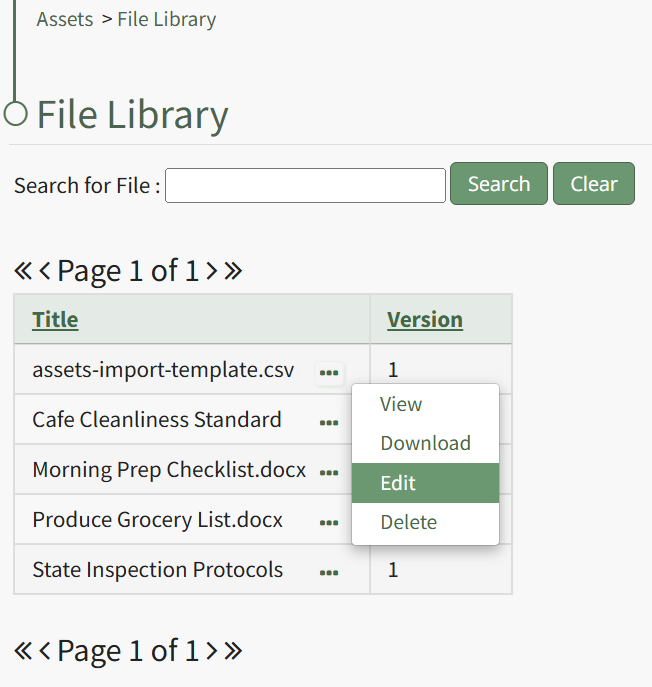
Select "Edit" from the context menu opening the Edit File Modal.
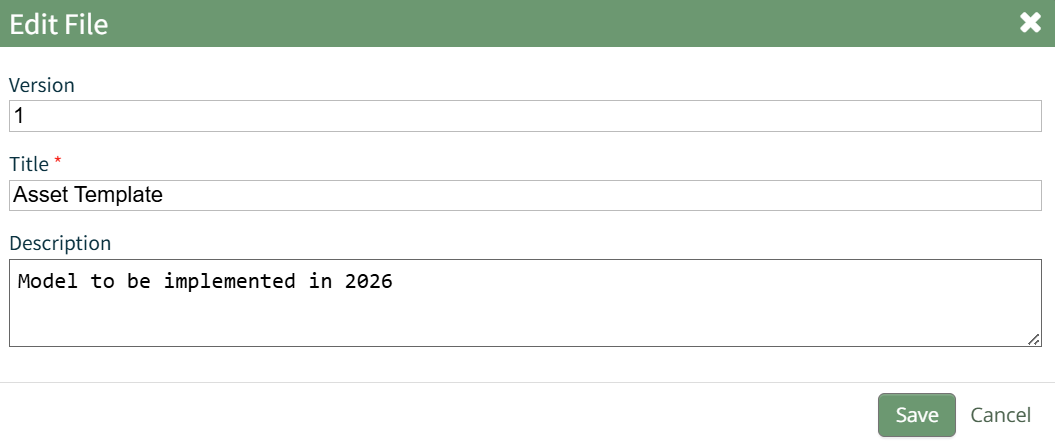
Changes to the file version number, title, and description can be made directly in the modal. Select the "Save" button and a popup confirms that the file edits have been saved. The changes are reflected on the File Library Table.
No comments to display
No comments to display