
Integrate a Database with the Inventory Module
To integrate an existing database with the inventory module, go to the Database Module Home Page. Click the three-dot icon to the right of the database you wish to integrate opening the context menu.
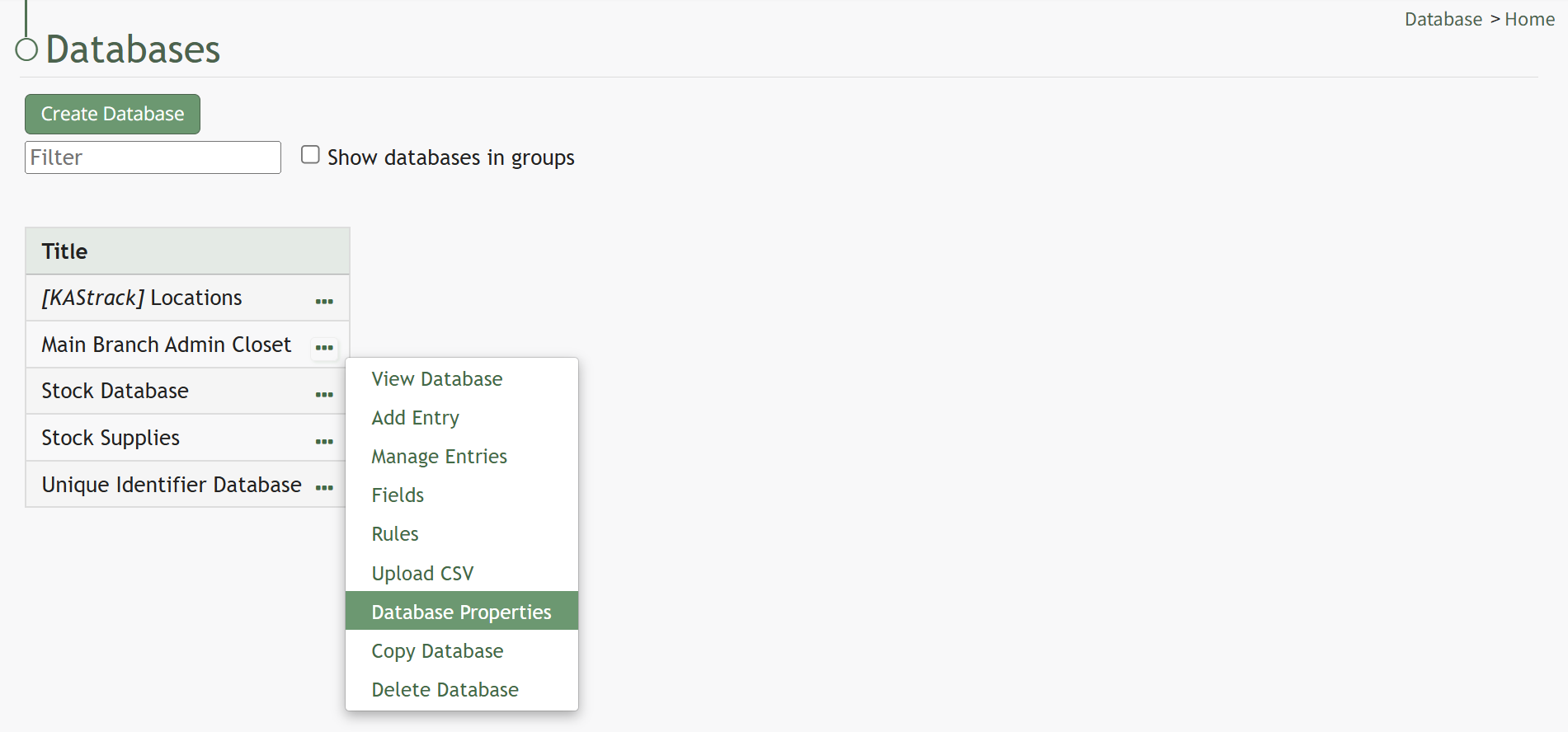
Select “Database Properties” opening the Database Properties Modal.
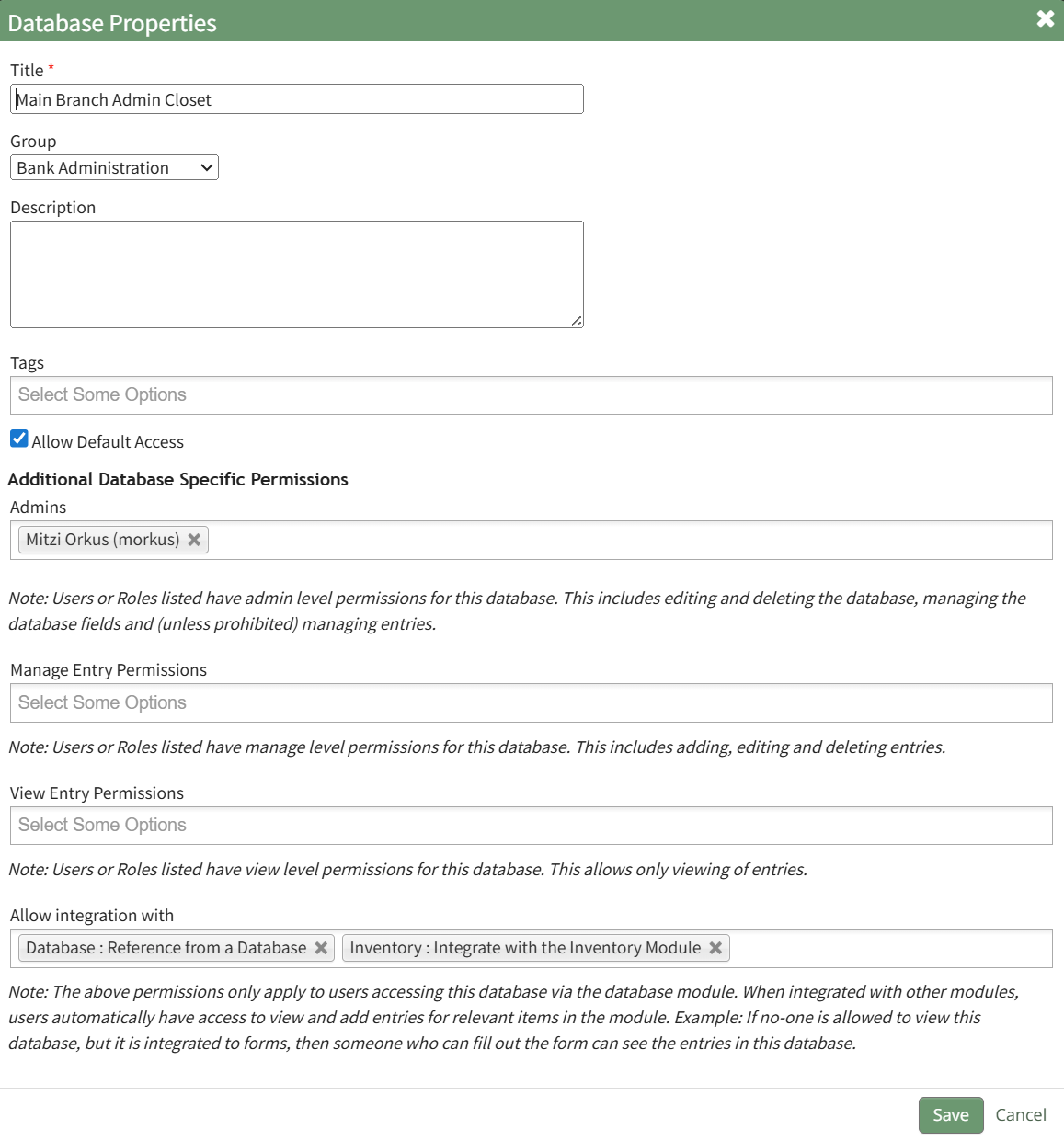
Under Additional Database Specific Permissions is a dropdown menu field labeled “Allow integration with”. Click to open the dropdown menu and select “Inventory: Integrate with the Inventory Module”.
Select “Save” and the database will now be visible in the Inventory Module.
No comments to display
No comments to display