
Mark Individuals Signed In Prior to A Certain Date/Time as Accounted For While in Muster Mode
Once muster mode has been activated, individuals who signed in prior to a specific date and time can be marked as accounted for.
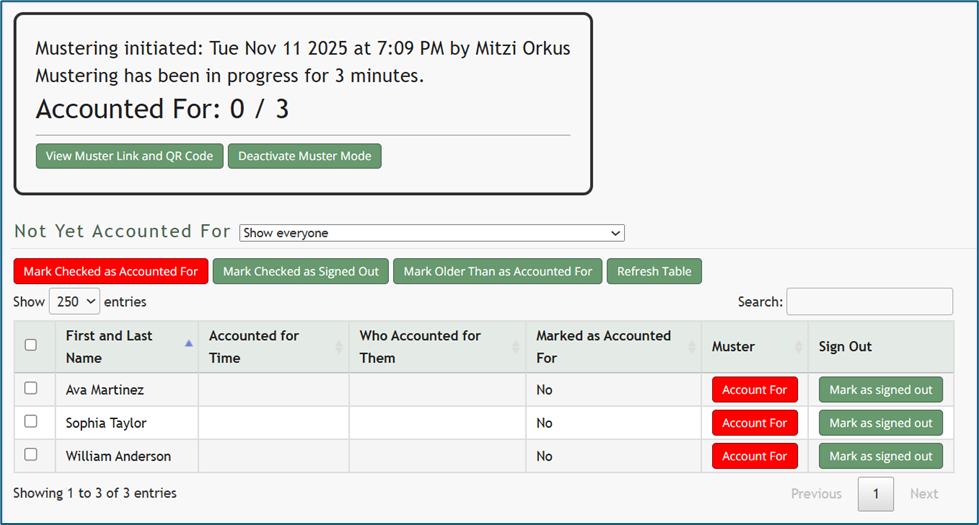
To do so, click the “Mark Older Than as Accounted For” button opening the Mark Older Than as Accounted For Modal.
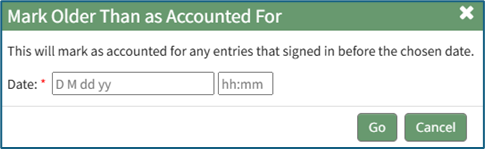
Input the desired date and time. Anyone who signed in before this date/time will be marked as accounted for in the muster table. A calendar is provided for ease in accurately setting the desired date.
Click “Go” at the bottom of the modal and a confirmation modal will appear, communicating how many entries were accounted for by the action.

No comments to display
No comments to display