
Add KAStrack Documents Module Files to a Dispatch
To add documents to a dispatch, open the specific dispatch you wish to add documents to. Go to the Dispatch Module Home Page and alter the filter view as needed. Click the Dispatch Number or Title to open the specific dispatch details page.

Documents can be added to a dispatch by selecting the plus sign icon to the right of the Documents column header.

This opens the Add Documents Modal.
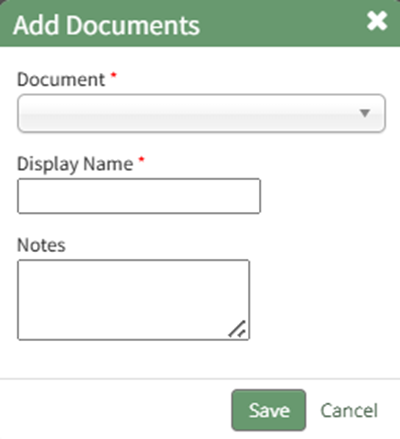
Select the appropriate document to be added to the dispatch from the drop-down menu.
Only the documents the user has permissions to view and access will be displayed.
Edit the display name as desired and input any notes regarding the document.
Select the “Save” button and the document will be added to the dispatch.
No comments to display
No comments to display