
Edit Users and Certification Roles Available as Dispatch Approvers
To edit the users and certification roles that are available via dropdown menu as dispatch approvers, open the Approver Filtering Tab of the Settings Page in the Dispatch Module.
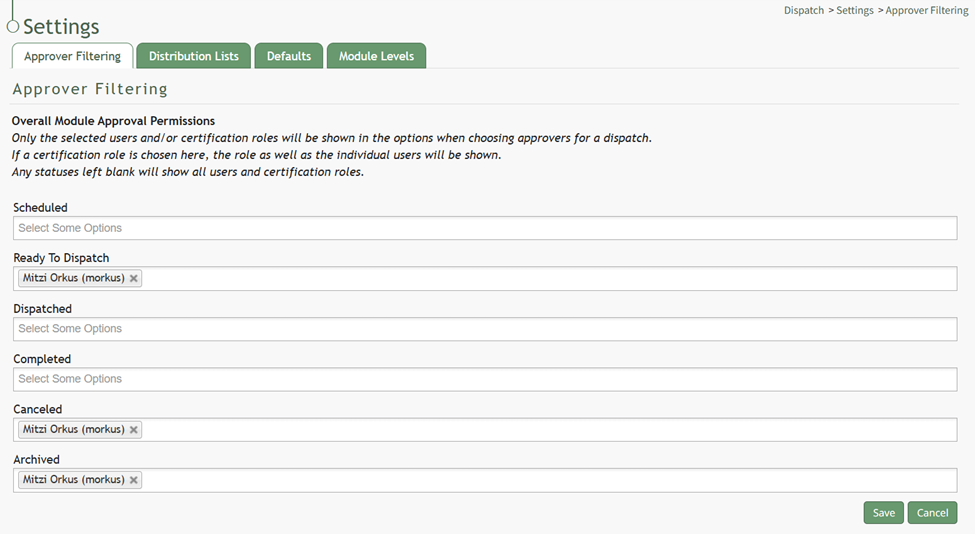
Click below the status to open the dropdown menu. Add People or Certification Roles as desired. If certification roles are selected, both the role and the users associated with it will be shown on the dropdown menu.
If the status is left blank, all users and certification roles will show on the dropdown menu.
Select the “Save” button when finished and a popup will confirm that the filter was saved.

The filter will remain this way until altered.
No comments to display
No comments to display