
Update Estimated Activity Status with Actual Date / Time
To update an estimated activity status with actual date and times, go to the Home Page of the Dispatch Module. Click the ID or Title of the specific dispatch whose activity status you wish to update.

This opens the Dispatch Details Page.

Select the clock icon to opening the Edit Activity Status Modal to edit start or finish information.
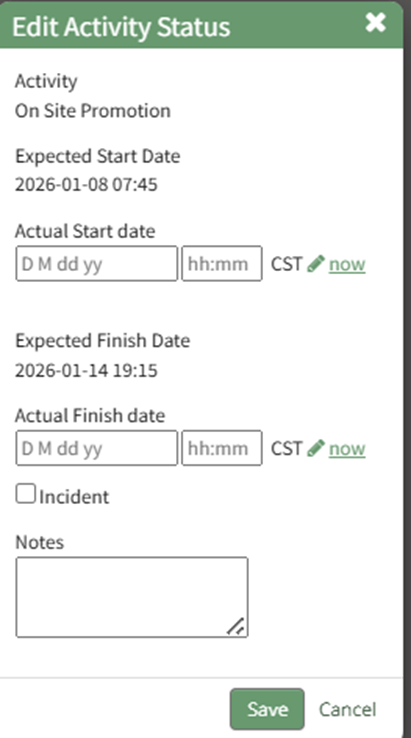
Edit start and/or finish dates, as well as any relevant activity notes. Select the “Save” button.
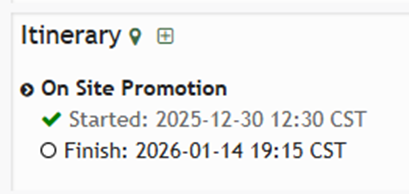
The checkmark indicates the actual start time has been entered on the dispatch details page.
No comments to display
No comments to display