
Access a Form's Shareable URL Link / QR Code
To access a form’s sharable URL Link or QR Code, go to the Home Page of the Forms Module and select the three-dot icon to the right of the form title whose URL Link or QR Code you want.
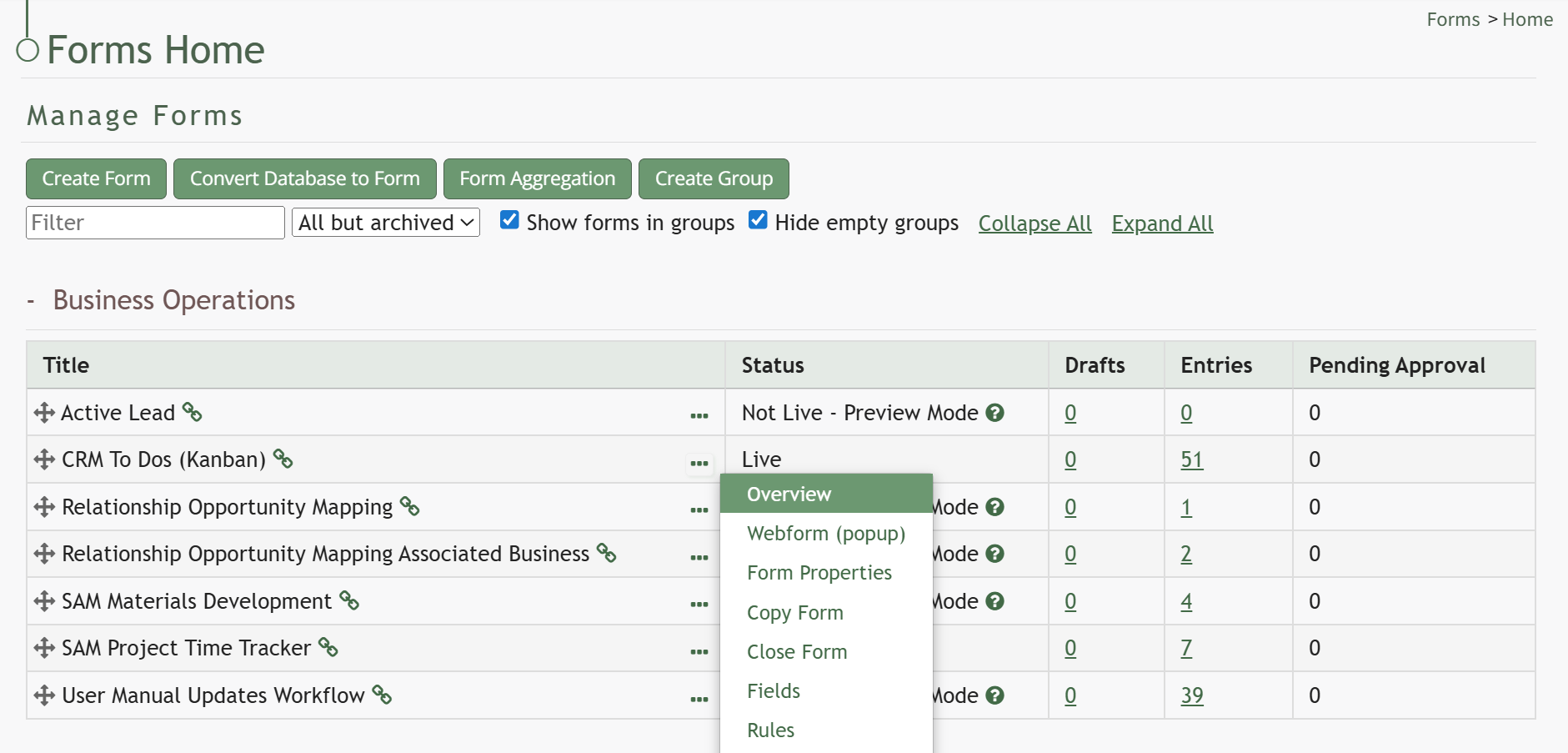
Click “Overview” on the context menu, opening the form specific Overview Tab.
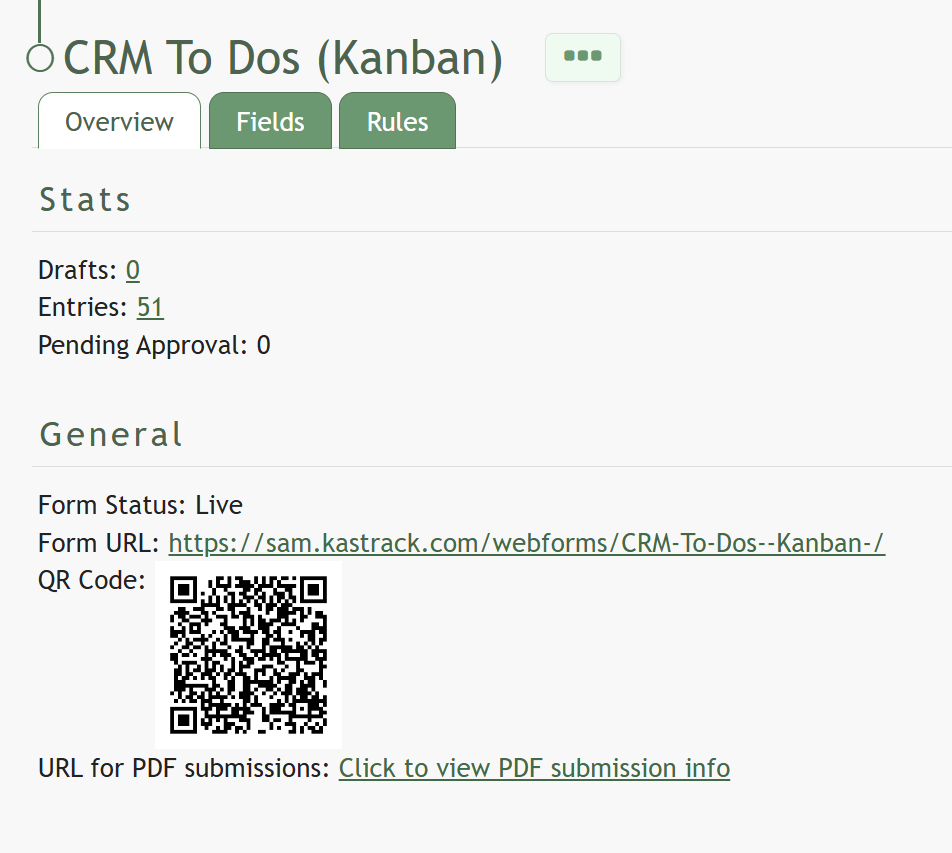
Both the Form URL and QR Code are visible on this tab.
No comments to display
No comments to display