
Delete a Customized Access Level
To delete a customized access level, go to the Access Levels Tab in the Site Settings Module.
Only customized access levels can be edited or deleted. The KAStrack generated default Access Levels (admin, supervisor, employee, and observer) cannot be edited or deleted.

The three dot (…) icon next to your customized access level opens a context menu with three options: View Access Level, Edit Access Level, and Edit Module Access.

Selecting “Edit Access Level” from the context menu opens the Edit Access Level Page.
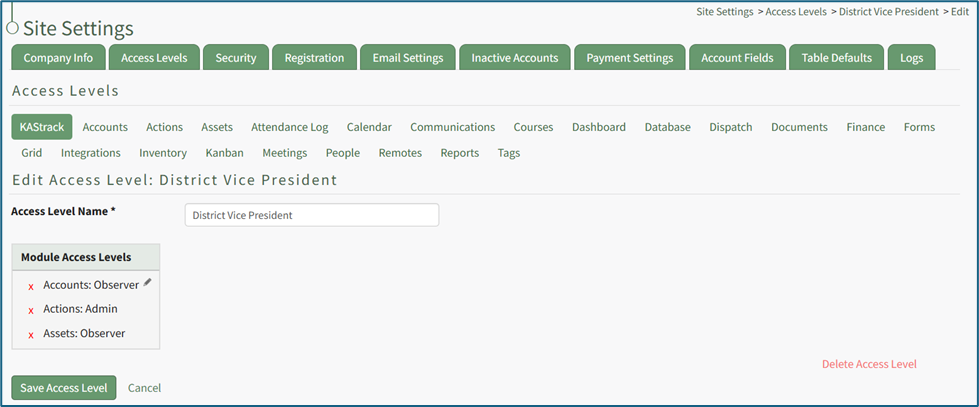
In the bottom right corner is a clickable “Delete Access Level” link. Selecting this opens a confirmation modal that states, “This will delete the access level. Are you sure you want to delete this access level?”
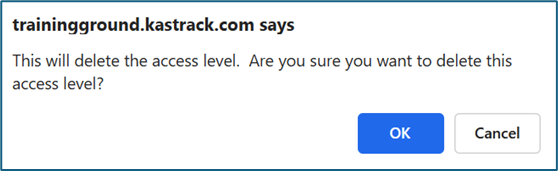
Click “Cancel” if you do not wish to delete the access level. Select “OK” to permanently delete the Access Level and return to the KAStrack Access Level Page.
No comments to display
No comments to display