
Edit Your Individual Email Alert Preferences
To edit your email alert preferences, open the Notifications Tab on the My Accounts Page in the Accounts Module. This tab is also accessible from the Main Menu.
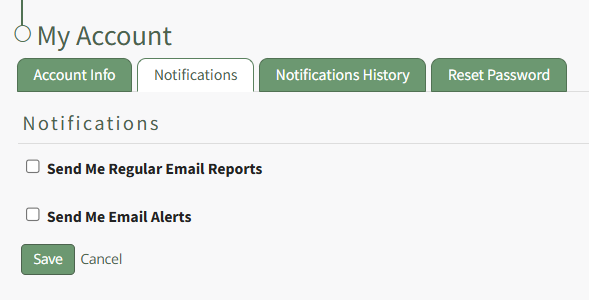
Select the “Send Me Email Alerts” checkbox opening the selections to be made for customization.
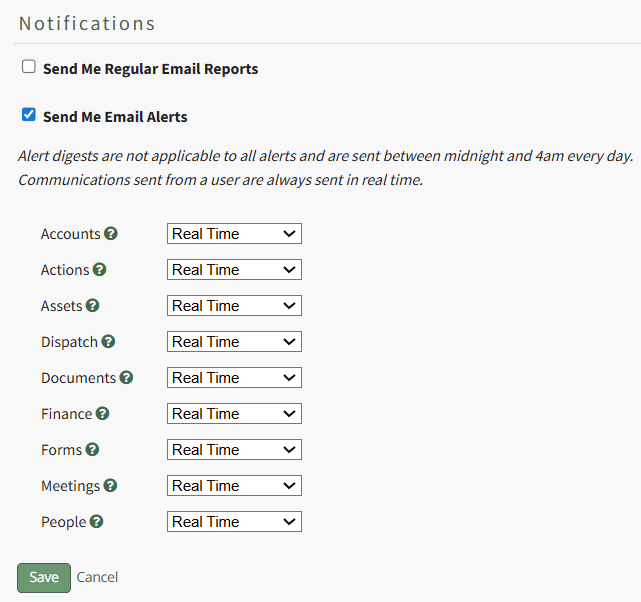
KAStrack sends email alerts for the following modules: Accounts, Actions, Assets, Dispatch, Documents, Finance, Forms, Meetings, and People. Each module has a dropdown menu with three options that designate when an email alert is sent: “Real Time”, “Digest”, and “Do Not Receive”.
Real Time is the default setting that sends email alerts in real time. Digest is KAStrack’s delayed timing feature. Selecting “Digest” will summarize all alerts with this designation to be sent daily between midnight and 4 a.m. Central Time (United States). Alert digests are not applicable to all alerts.
Whether or not an alert is digestible is specified by an individual with an admin access level.
Do Not Receive designates that the user does not wish to receive email alerts about that specific module.
Communications sent from users are always sent in real time.
When your desired selections are made, click on the “Save” button at the bottom of the screen. Clicking “Cancel” will not save changes and revert back to the previously saved preferences on the Notifications Tab of the My Account Page.
No comments to display
No comments to display