
Edit Database Groups
To edit a database group, go to the Groups Page of the Database Module. Select the three-dot icon to the right of the Group Name you wish to edit, opening the Group Table context menu.
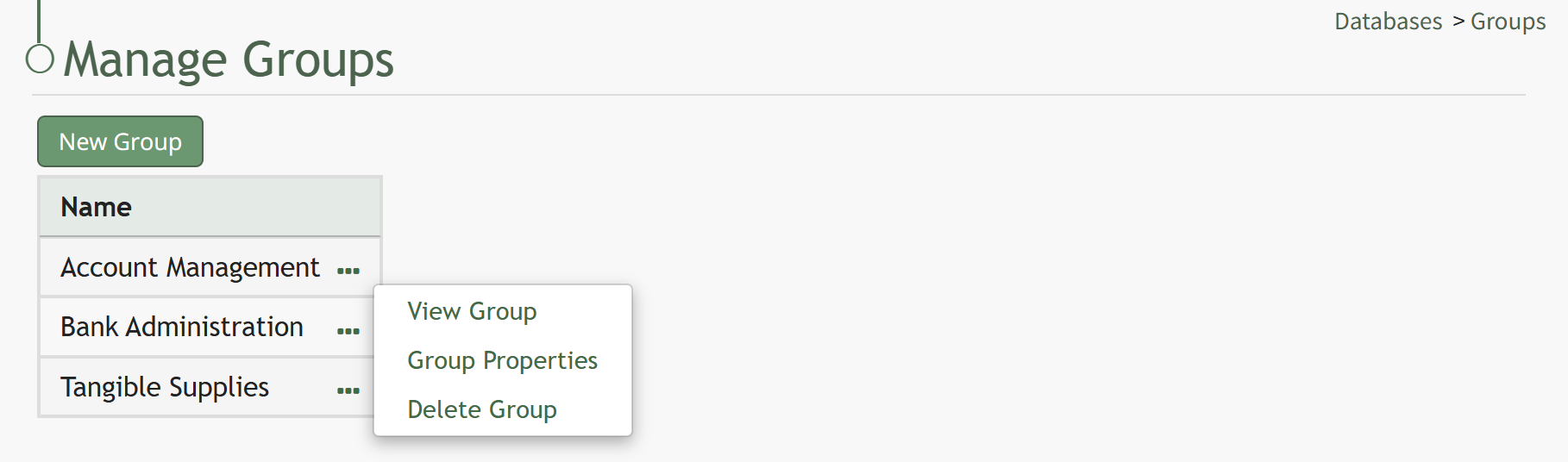
Select “Group Properties” from the context menu opening the Edit Group Modal.
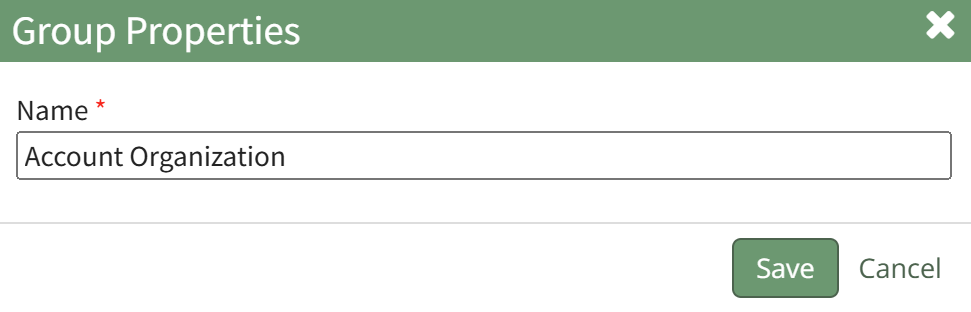
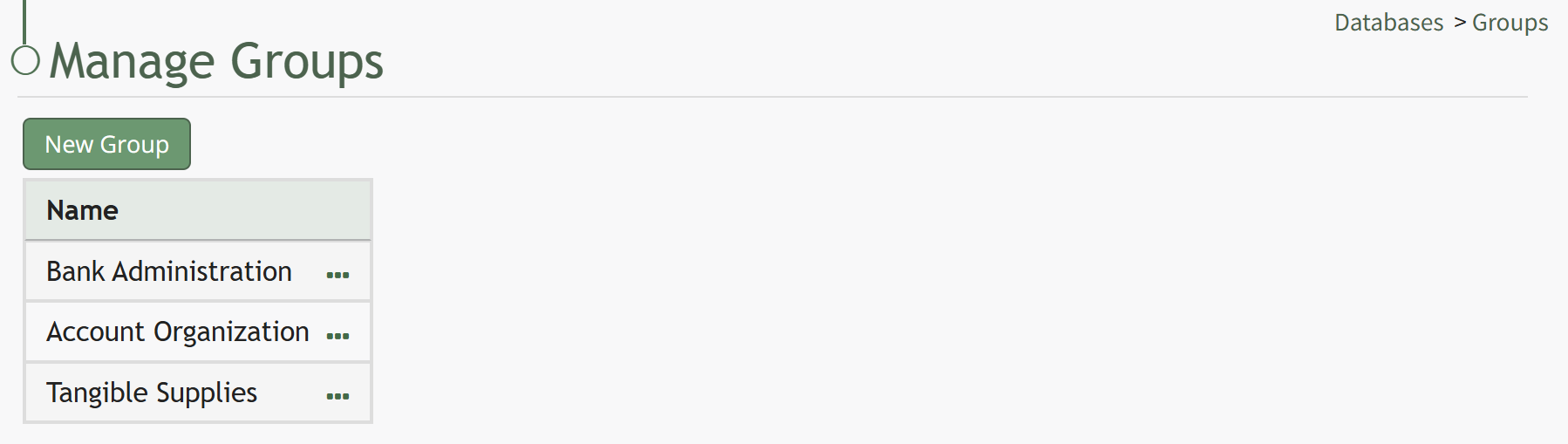
Make the desired changes to the group name and select “Save”. The edited group name will now show in the Groups Table.
No comments to display
No comments to display