
Edit a Form Aggregation
To edit a form aggregation, open the Home Page of the Forms Module and click the Form Aggregation beneath the page header.

This opens the Form Aggregation Page. Click the three-dot icon to the right of the aggregation you wish to edit opening the Aggregation Context Menu and select "Aggregation Properties".
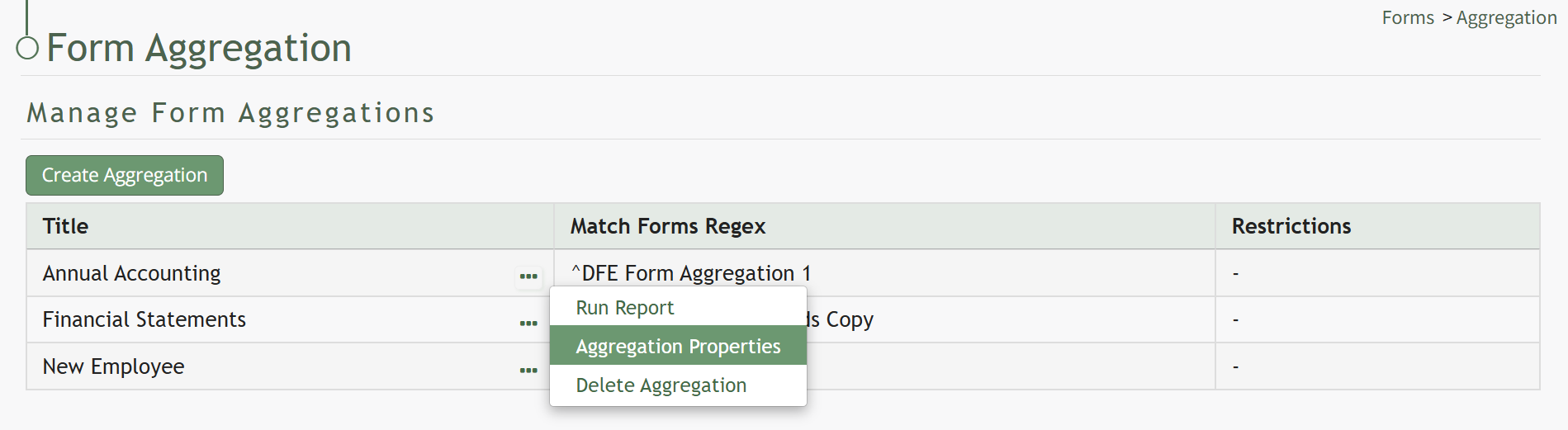
This opens the Form Aggregation Properties Modal.

Edit the form aggregation as needed and select the Save button. Your changes will be saved.
No comments to display
No comments to display