
Send a User an Email Notification Regarding a Certification
To send a user an email notification regarding a specific certification, you must open the supervised user's Certifications Details Page. To do so, select Users in the People Module from the Main Menu.
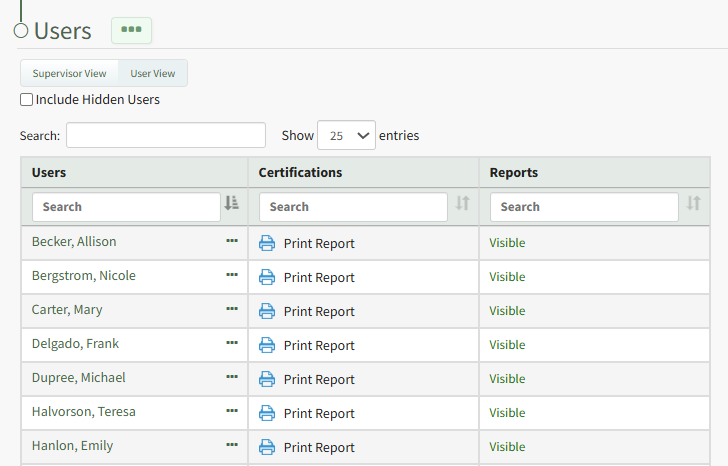
Click the name of the relevant user on the Users Table opening their Certification Details Page. To the right of a certification name in the Outstanding Requirements Table is a three-icon that opens the Outstanding Requirements Context Menu.
Notify is only a context menu option for the Outstanding Requirements Table.
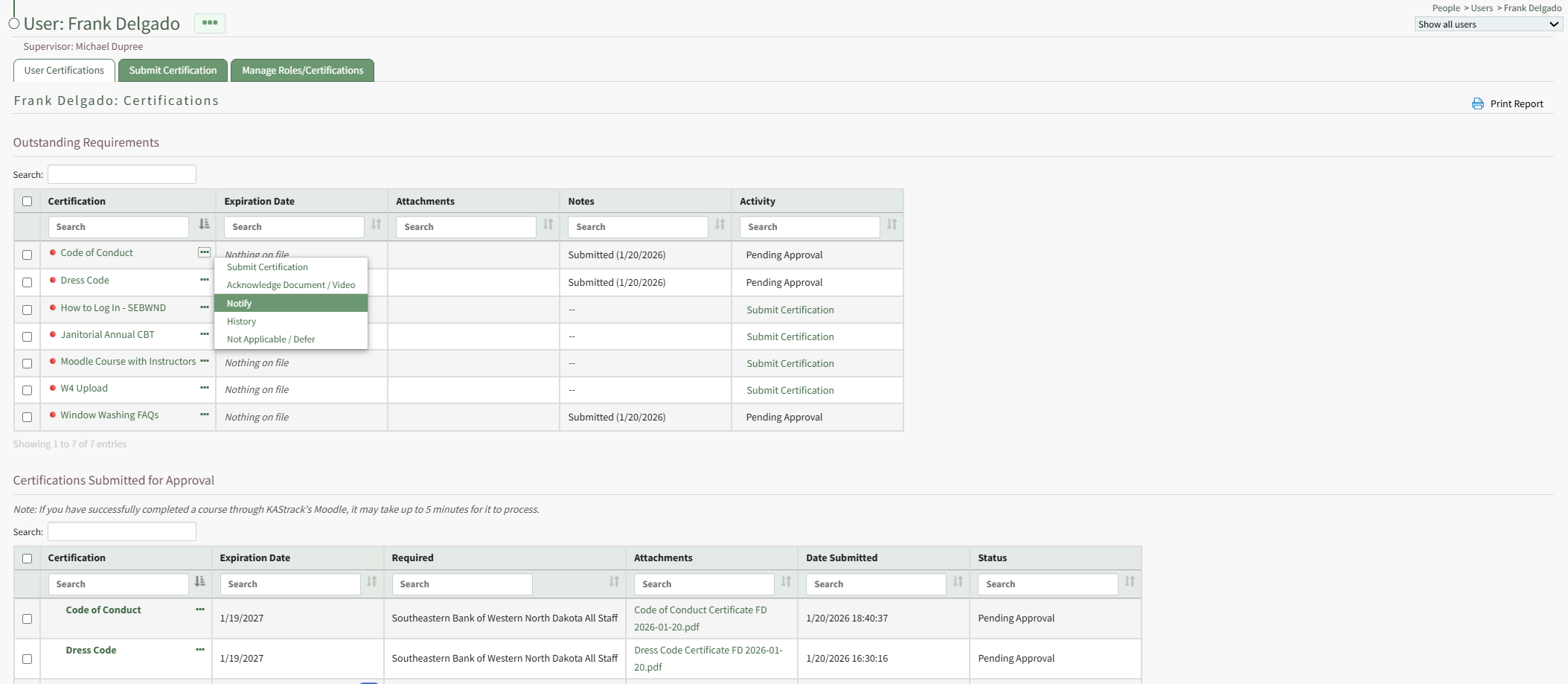
Select the option Notify opening the Send Notification Modal. Use the modal to include an optional message that will be included in the Certification Notification that will be sent to the user through the system via email.
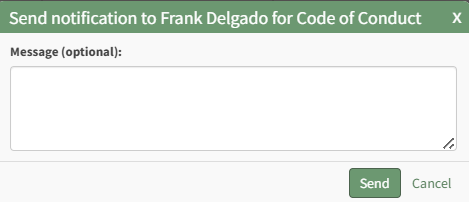
Select the Send button.

The modal changes, indicating that the email notification is sent.
No comments to display
No comments to display