
Reset the Hit Count on a QR Code
To reset the hit count for a specific QR Code, open the QR Code page of the Communications Module from the Main Menu.
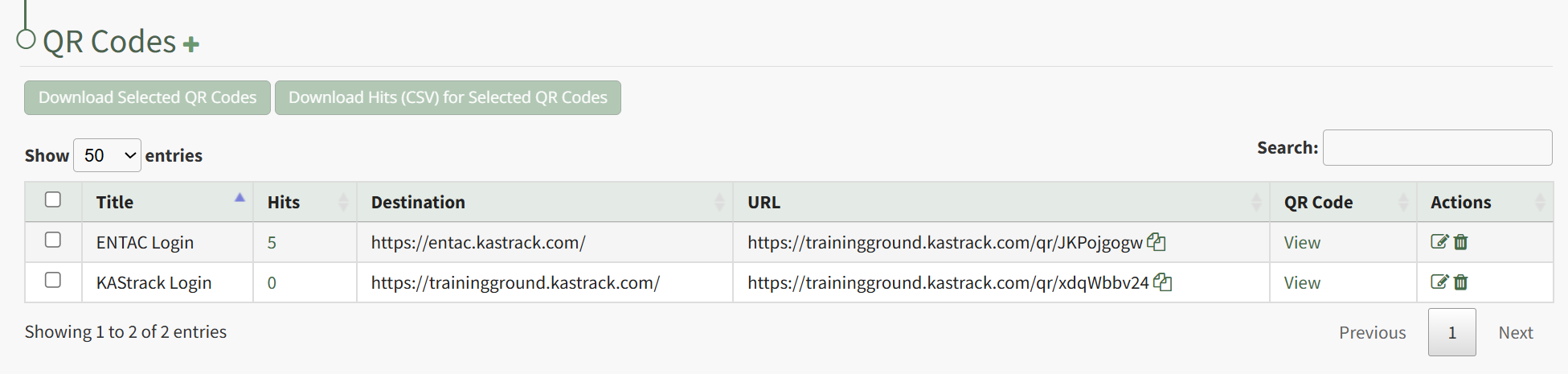
Click on the integer in the Hits Column of the QR Code whose count you wish to reset.
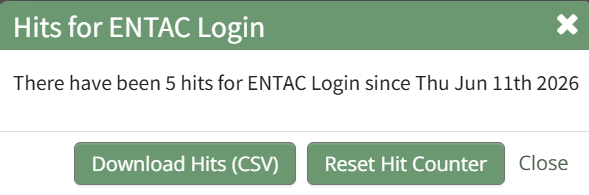
This opens the HIts For QR Code Modal, which states the number of hits and the data that the QR Code was last used. Click the "Reset Hit Counter" button on the modal, opening a Reset Confirmation Modal.
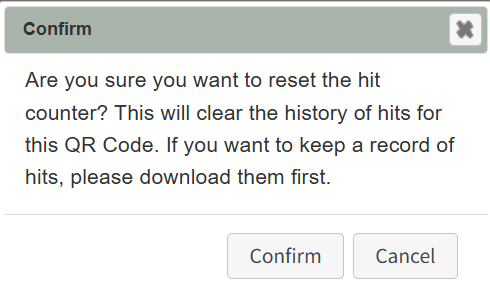
The modal states, "Are you sure you want to reset the hit counter? This will clear the history of hits for this QR Code. If you want to keep a record of hits, please download them first." Click the "Confirm" button.

A pop-up modal confirms that the counter has been reset.
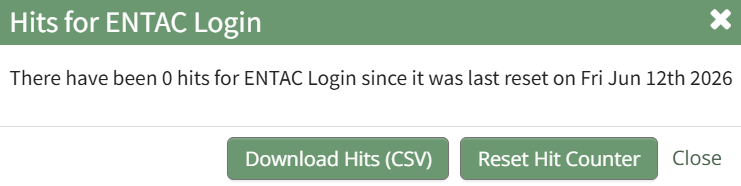
The Hits for QR Code Modal shows that the count is 0 and states the reset date.
No comments to display
No comments to display