
Add Forms to the Forms Module Summary Widget
To add a specific form so that it is displayed on specific user's the Forms Module Summary dashboard widget, go to the Form you want included on the Home Page of the Forms Module. Select the three-dot icon opening the Forms context menu.
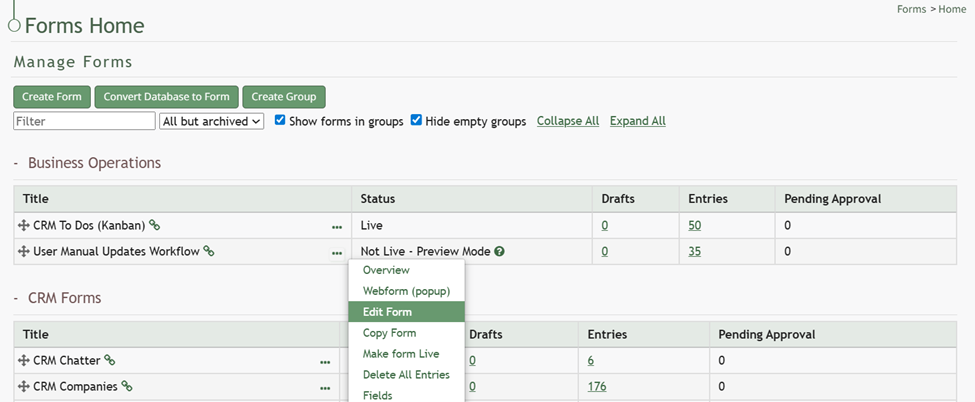
Select “Edit Form” opening the Edit Form Modal and go to the Advanced Settings section.
Input the users or certification roles you wish to see the selected form in their Dashboard Forms Module Summary Widget.

Select “Save” and the form will now be visible on the dashboard to the selected users.
No comments to display
No comments to display