
Assign/Unassign Users and Certification Roles to an Asset
To assign or unassign users and certification roles for a specific asset, open the Manage Asset Pages in the Assets Module on the Main Menu. Use filters as needed and identify the asset/component you want to assign/unassign users and roles to. Click the three-dot icon to the right of the asset title opening a context menu.
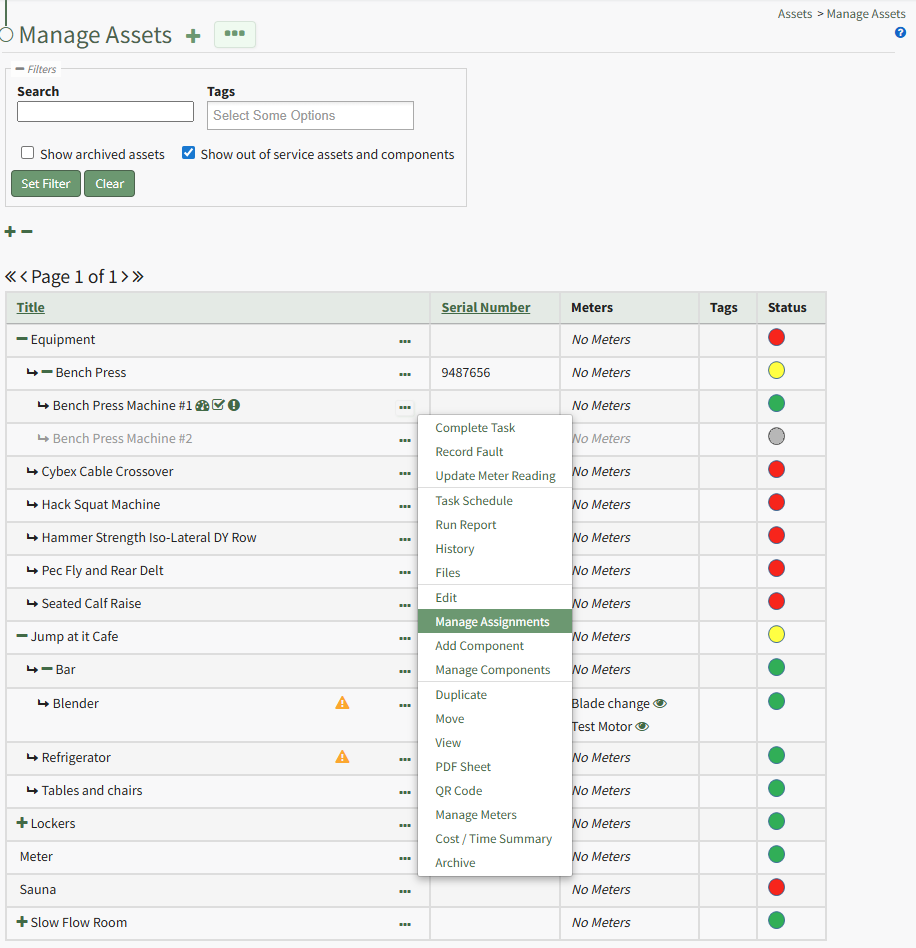
Select "Manage Assignments" from the context menu opening the Asset Assignments Modal.

Click in the textbox beneath Assignments and a dropdown menu will allow you to assign the asset to multiple individuals or certification roles.
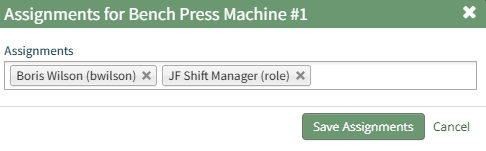
To unassign an individual, click the X icon to the right of the user name or certification role.
When done, select the "Save Assignments" button.

A popup confirms that the asset assignments were saved.
No comments to display
No comments to display