
Manually Approve/Deny User Registrations
To manually approve user registrations, open the Registrations Tab on the Accounts Page in the Accounts Module.
Approvals/Verifications only show on the Registrations Tab when an individual manually registers themselves.
Selecting any checkbox in a row opens a bulk actions modal above the table. Selecting the checkbox in the first column of the top row selects / deselects all rows in the table.
Bulk action options on the Registrations Tab are Create Account and Deny.
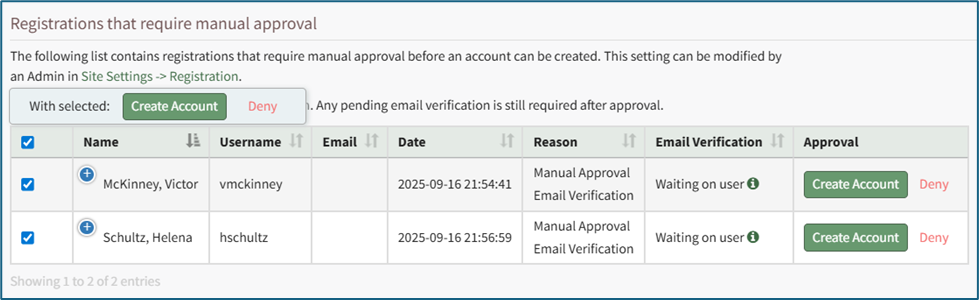
There are two options in the Approval column for all prospective accounts in the Pending Registrations table. Select “Create Account” to manually approve it or click “Deny” to deny an individual user.
No comments to display
No comments to display