Add Tags to a Database Entry
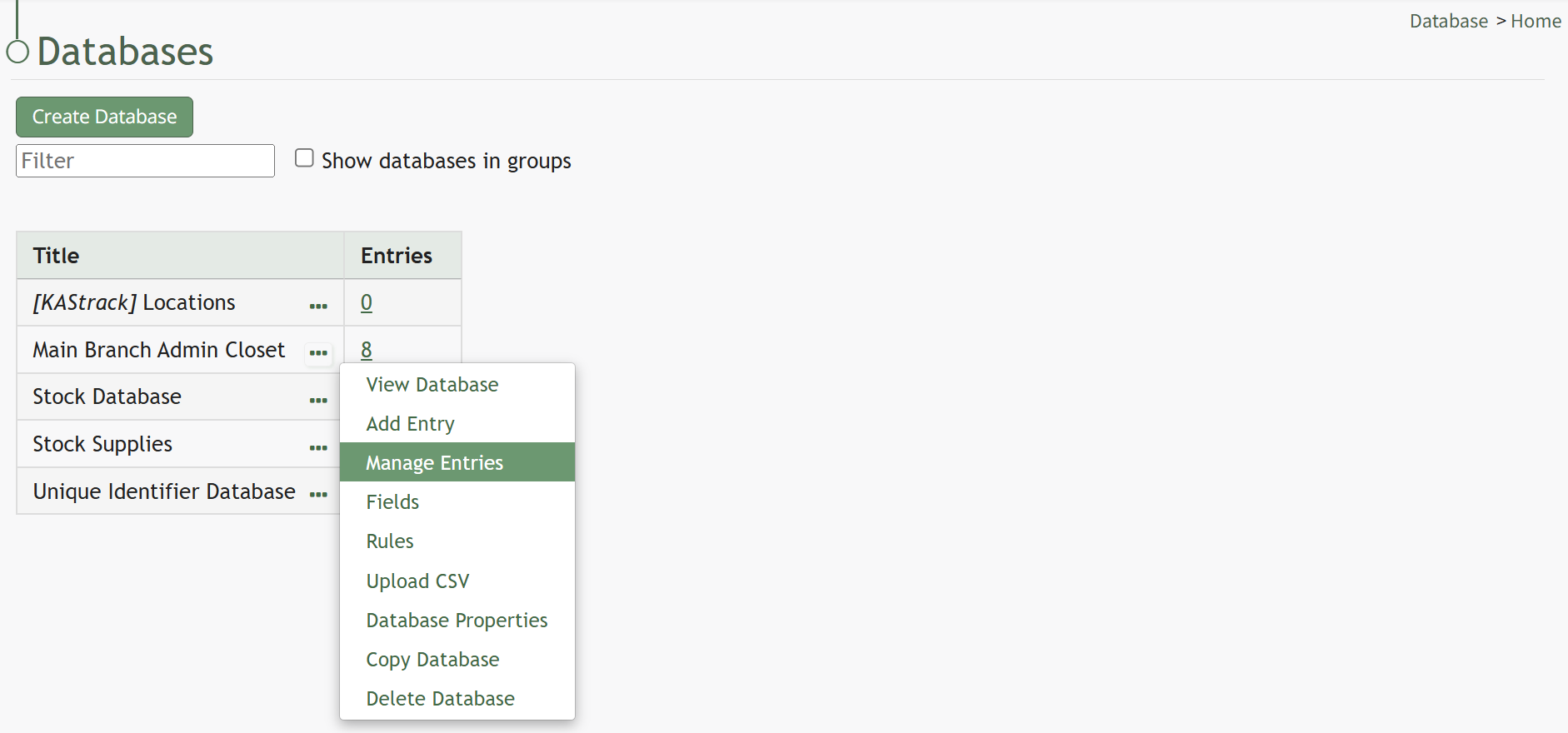
To add tags to a database entry, go to the Home Page of the Database Module. Click the three dot icon to the right of the database you wish to edit opening the database context menu.
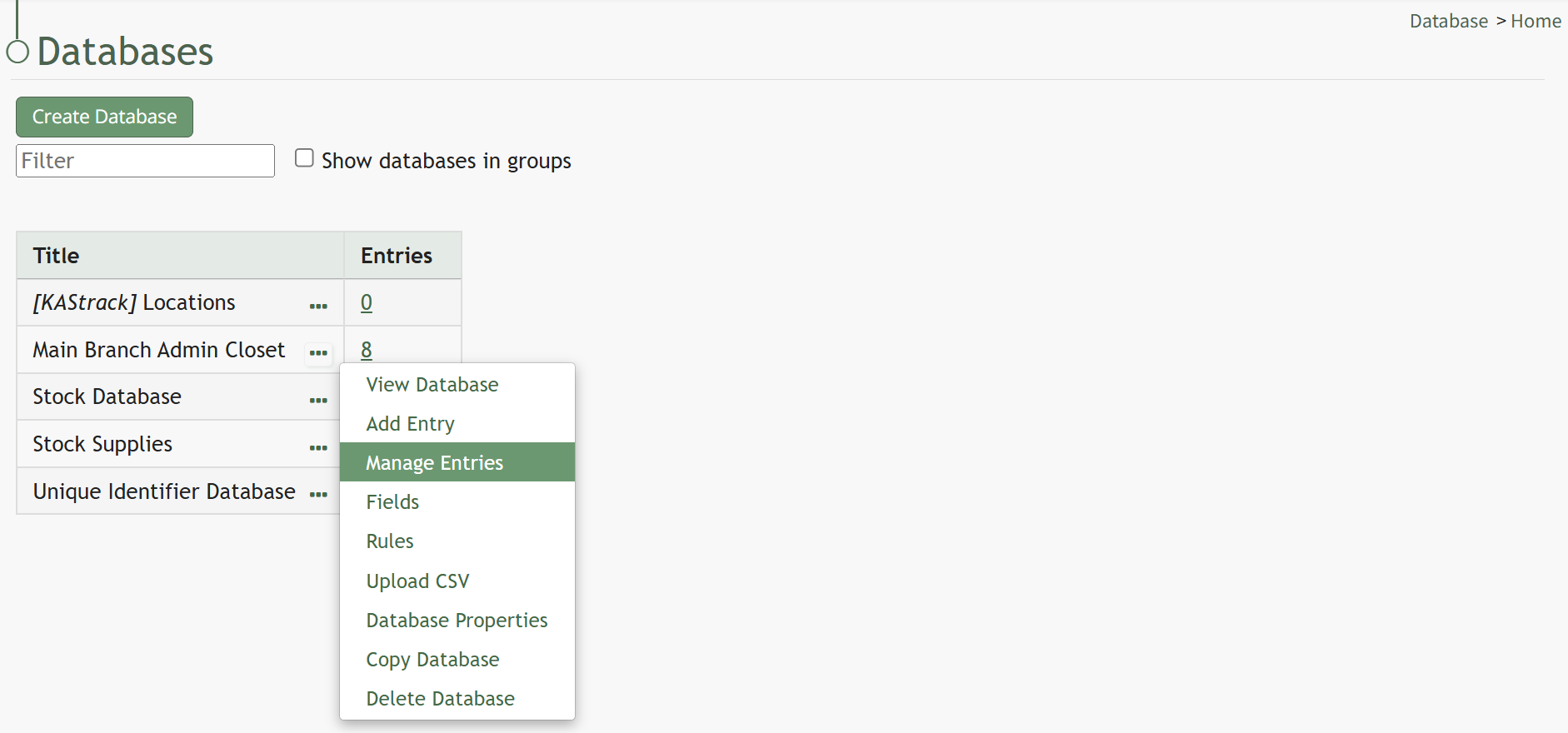
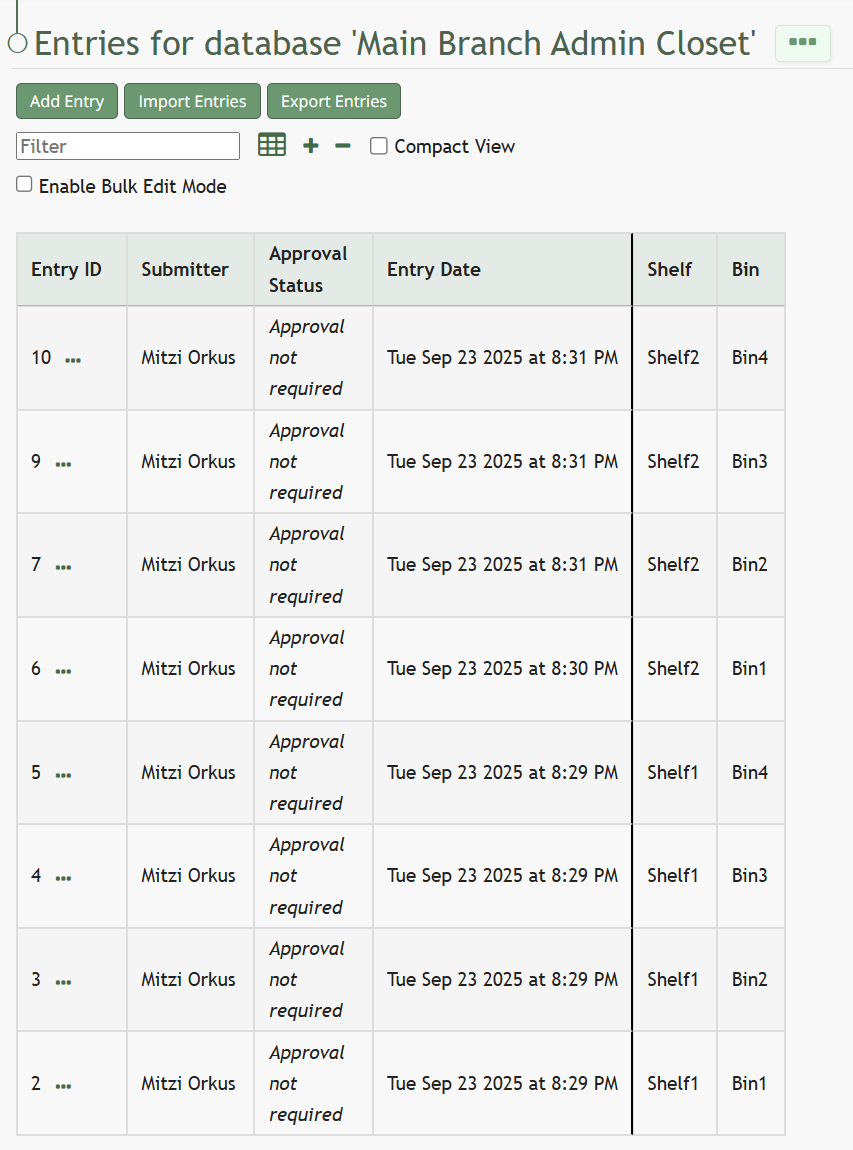
Select “Manage Entries” from the context menu opening the Entries for database (DatabaseName) Page.
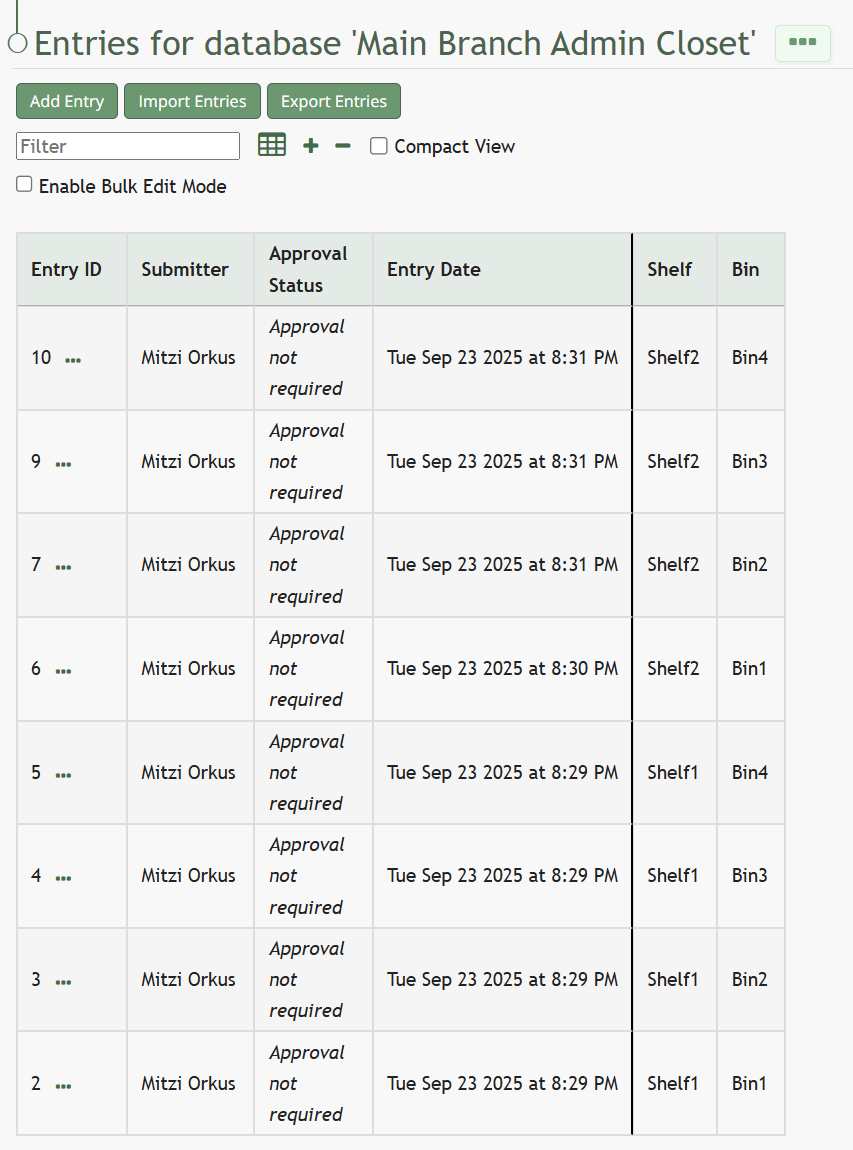
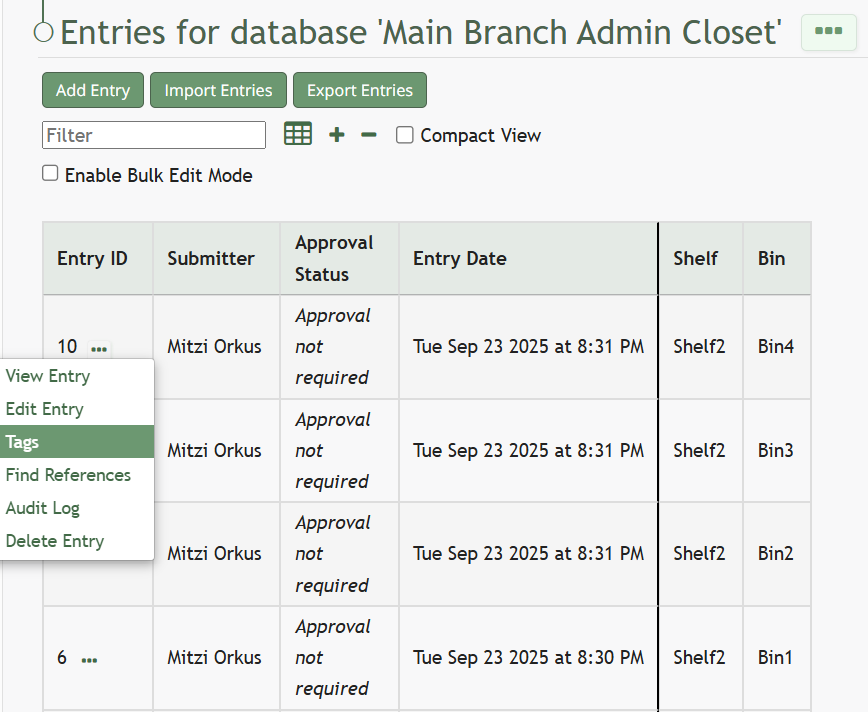
To the right of every Entry ID is a three-dot icon. Click the three-dot icon for the entry you wish to add tags to opening the Database Entries Table context menu.
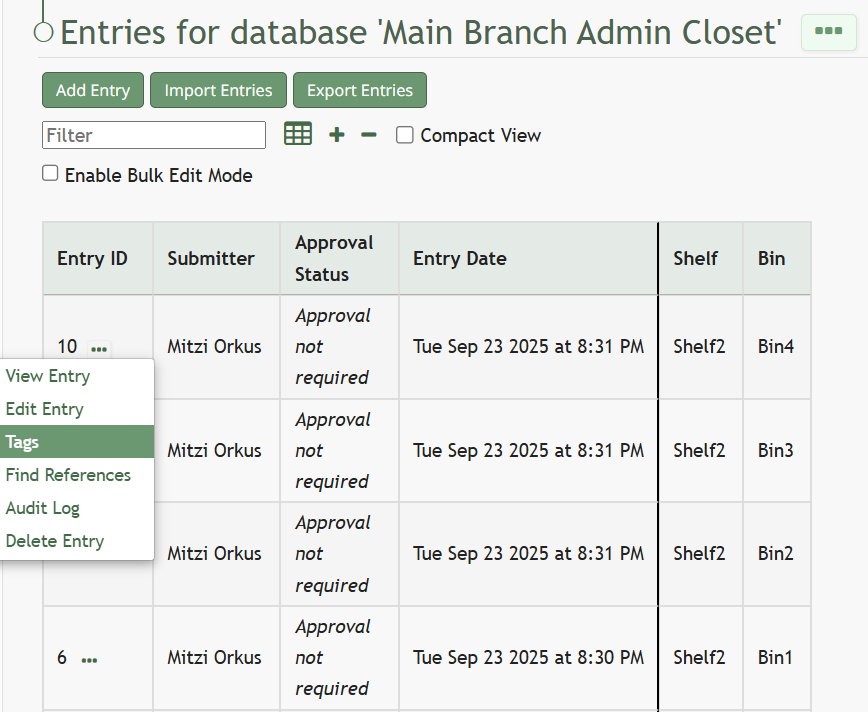
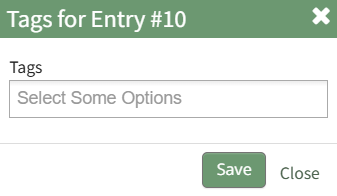
Select “Tags” opening the Database Entry Tags Modal.
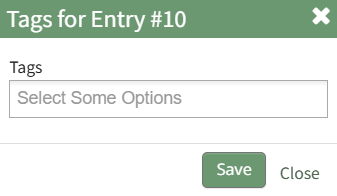
Add the tags you want to be associated with the Database Entry and select “Save”.

No comments to display
No comments to display