
Export Database Entries
To export the existing database fields and entries, go to the Home Page of the Database Module.
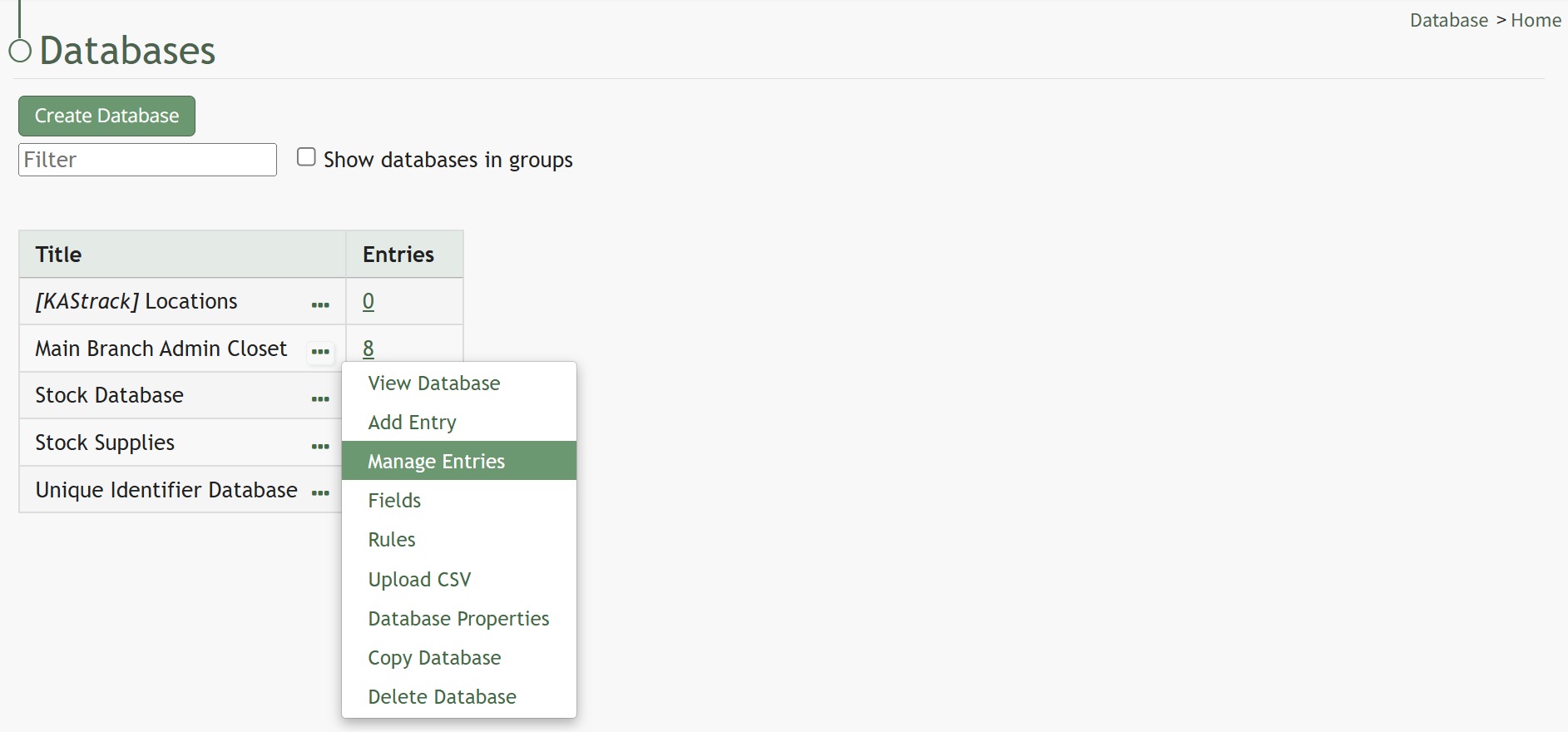
Click the three dot (…) icon to the right of the database you want to export to open the context menu. Select “Manage Entries” to open the Database Entries Page.
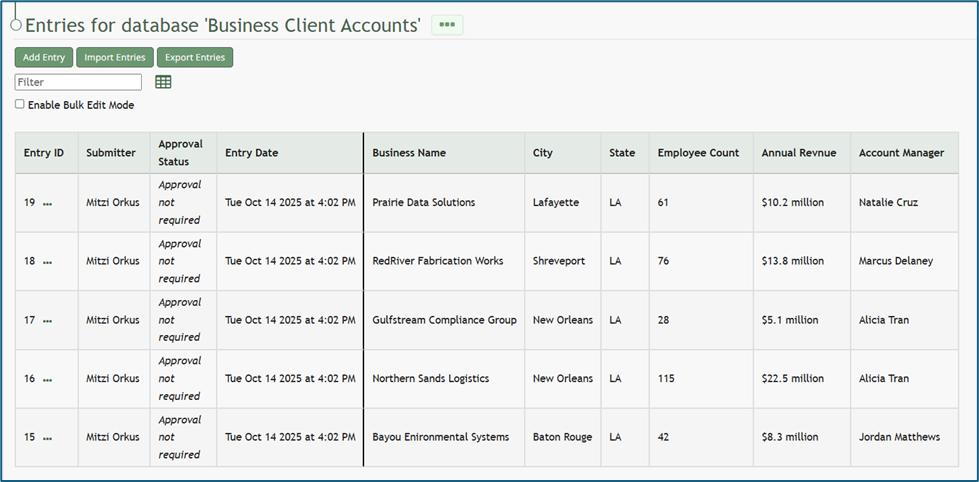
Select the “Export Entries” button and a CSV file with database fields and entries will be downloaded to your personal device.

No comments to display
No comments to display