
Delete Historical Task Records
To delete the historical records associated with an asset task, open the asset's History Page.
How To: View an Asset's Historical Logs
An asset's historical data can be accessed from an asset's History Page. To access an asset's history, go to the My Assets Page in the Assets Module on the Main Menu. Use the filters as needed to identify the access whose history you wish to view, and click the three-dot icon to the right of the asset name. This opens a context menu.
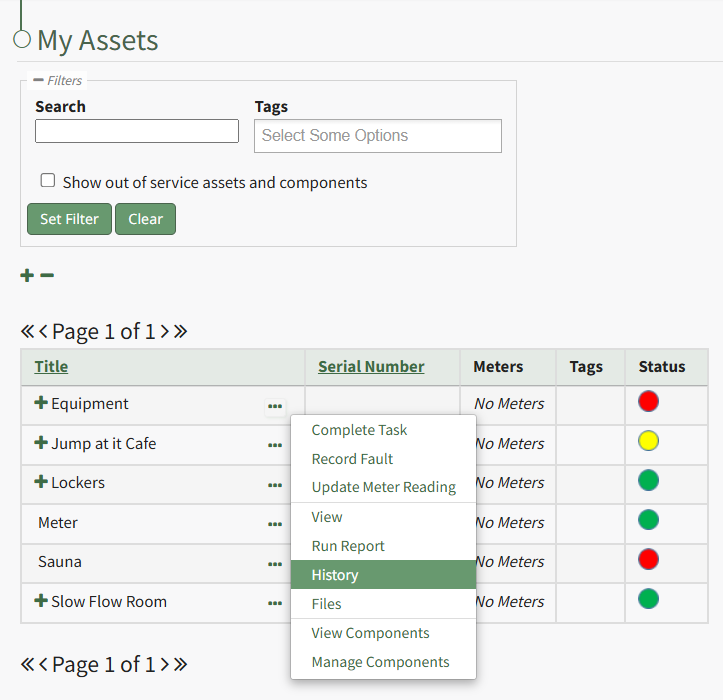
Select "History" from the context menu opening the Asset History Page.
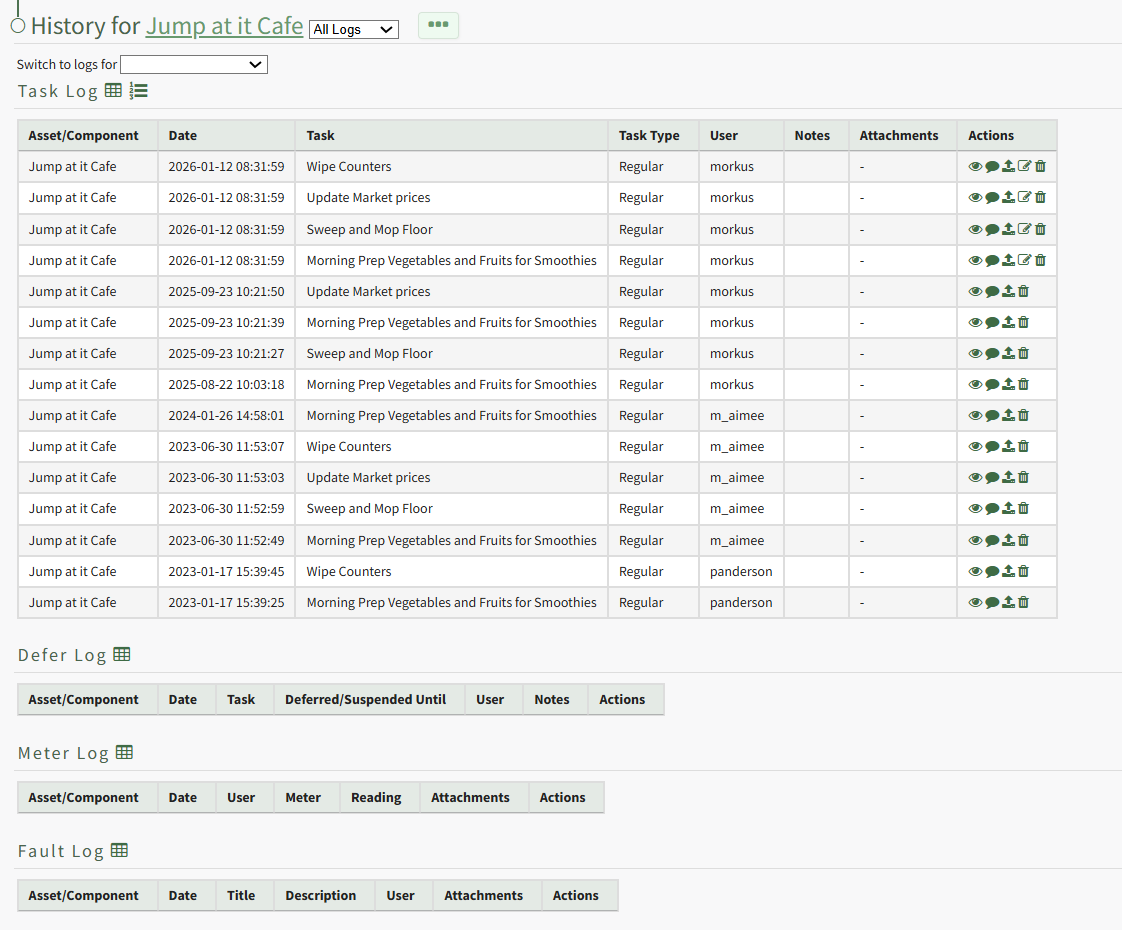
Click the trashcan icon in the Actions Column of the Log Table for the task record you wish to delete open the Delete Task Record Confirmation Modal.
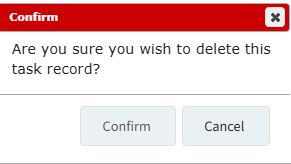
Select "Confirm" and a popup confirms the record has been removed.

It is no longer visible in the log table.
No comments to display
No comments to display