
Bulk Export Asset Information
To bulk export asset information as a .csv file, select the Manage Assets Page from the Main Menu in the Assets Module and click the three dot (…) icon to the right of the page header opening the Manage Assets Page Context Menu.
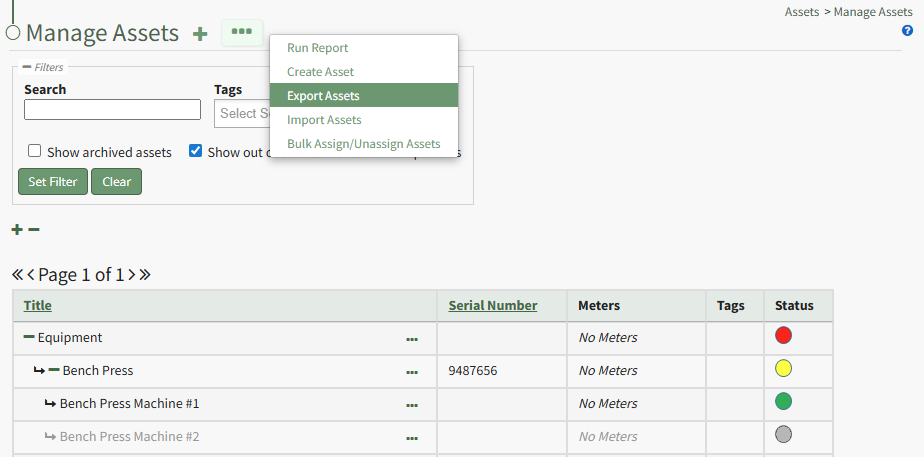
Select “Export Assets” from the context menu to open the Export Assets Modal.
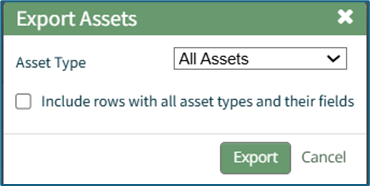
The Asset Type dropdown menu offers the option to export “All Assets,” “No Asset Type,” or individual asset types.
Asset types and unique fields created for specific asset types can be included in the export by selecting the “Include rows with all asset types and their fields” checkbox.
Select the “Export” button to export asset information as a CSV file to your personal device’s downloads folder.
No comments to display
No comments to display