
Edit a Channel
To edit a channel on a user’s account, go to the specific user’s Account Info: (User Name) Page in the Accounts Module for the individual’s channel you wish to edit.
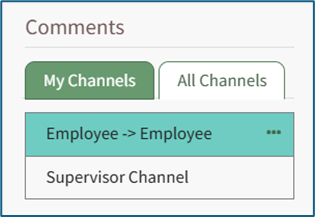
Click the three dot (…) icon located on the right of the desired channel.
Select “Edit” and the Edit Comment Channel Modal will appear for that channel. Make any desired changes. Select “Save” to make the changes to the Chanel. Click “Cancel” to return to the Account Info: (User Name) Page.
An individual must have Admin module level access to edit a channel.
No comments to display
No comments to display