
Edit a Supervised User's Account Information from the People Module
To edit a supervised user's account information from within the People Module, open the Users Page in the People Module on the Main Menu. Click the three-dot icon to the right of the specific user whose account information you wish to edit, opening the Users Table Context Menu.
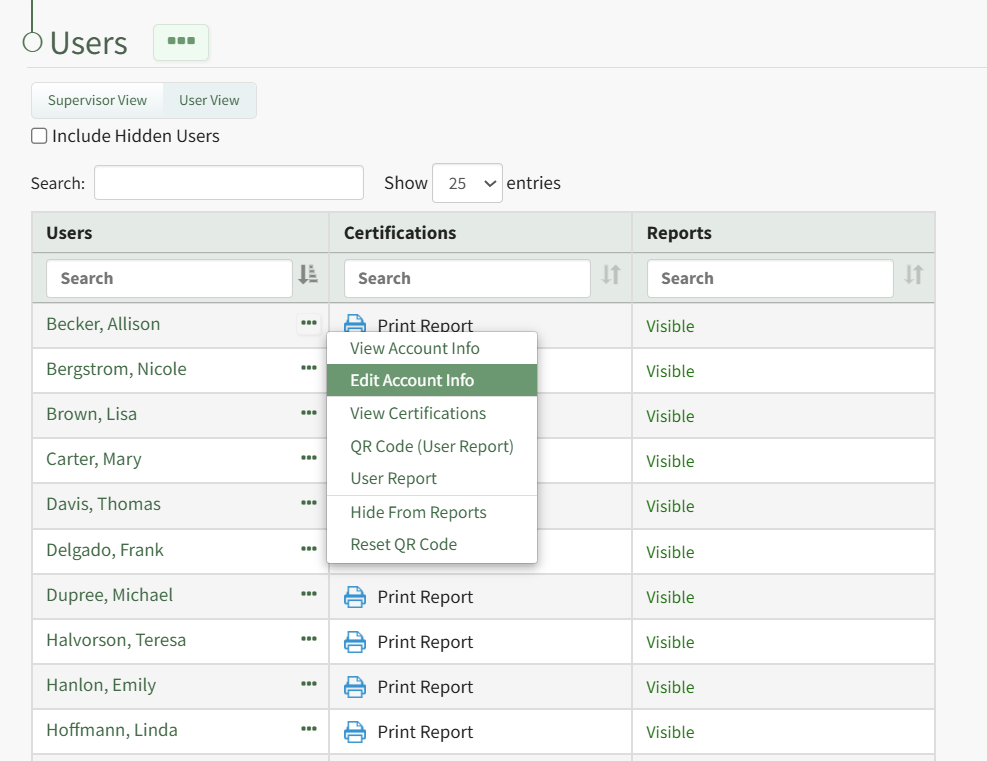
Select "Edit Account Info" from the context menu opening the Edit Account Info Page in the Accounts Module.
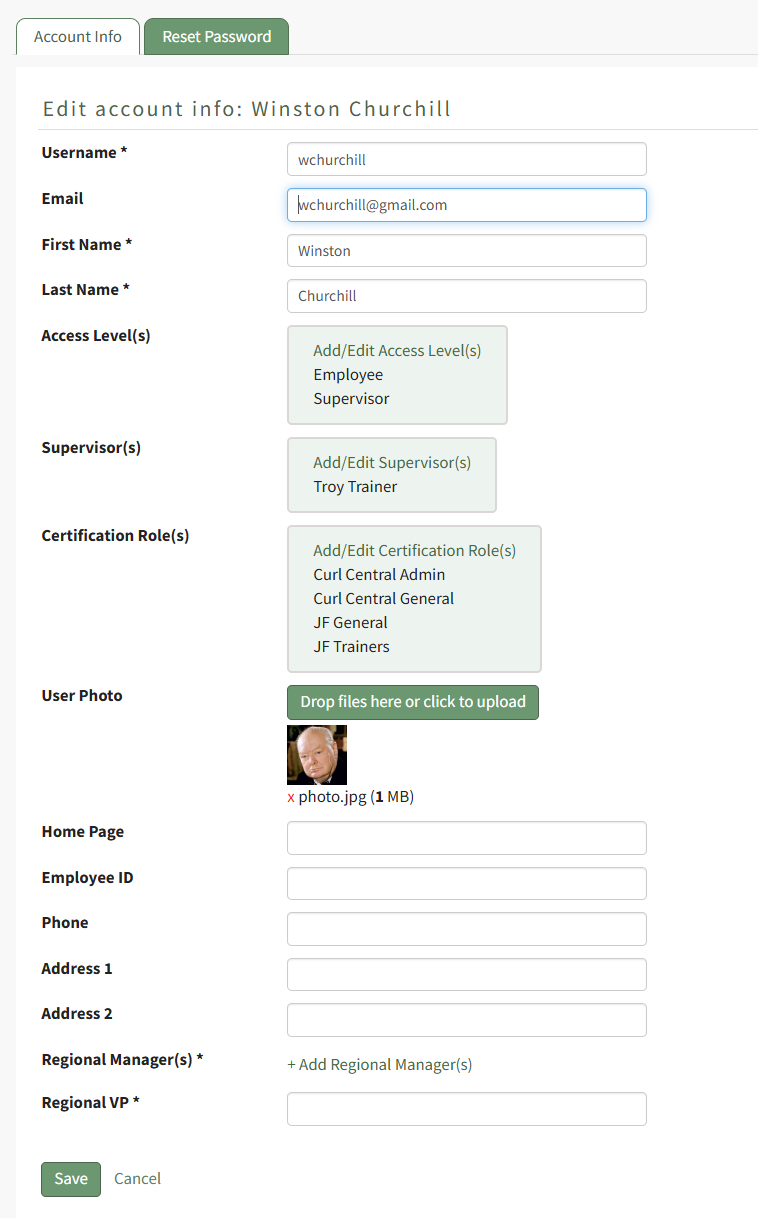
Make the desired changes to the user's account information and select the "Save" button when done.
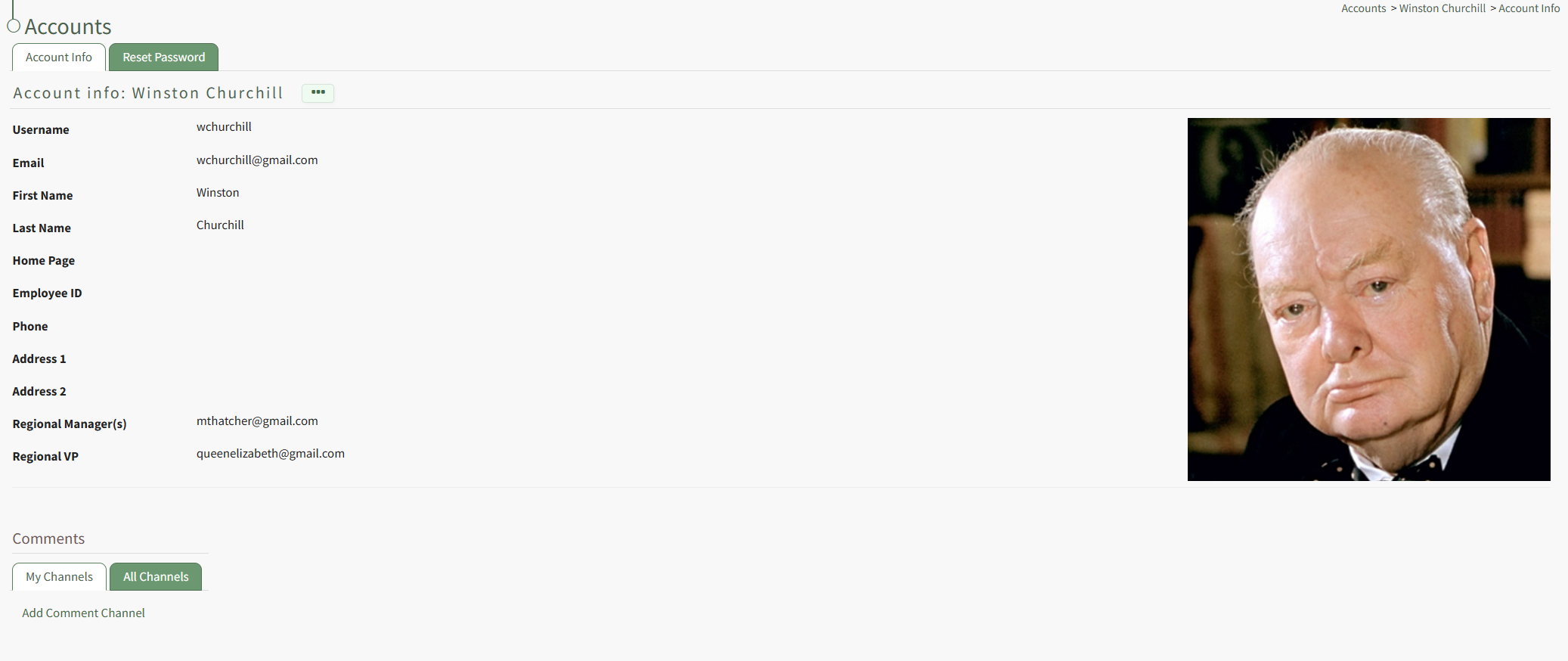
The updated information now shows on the user's Account Info Page.
No comments to display
No comments to display