
Download a File from the Asset File Library
To download a file from the Asset Module File Library, select the Files Page in the Assets Module on the Main Menu. Click the three-dot icon to the right of the file you wish to download in the File Library Table to open the Files Context Menu.
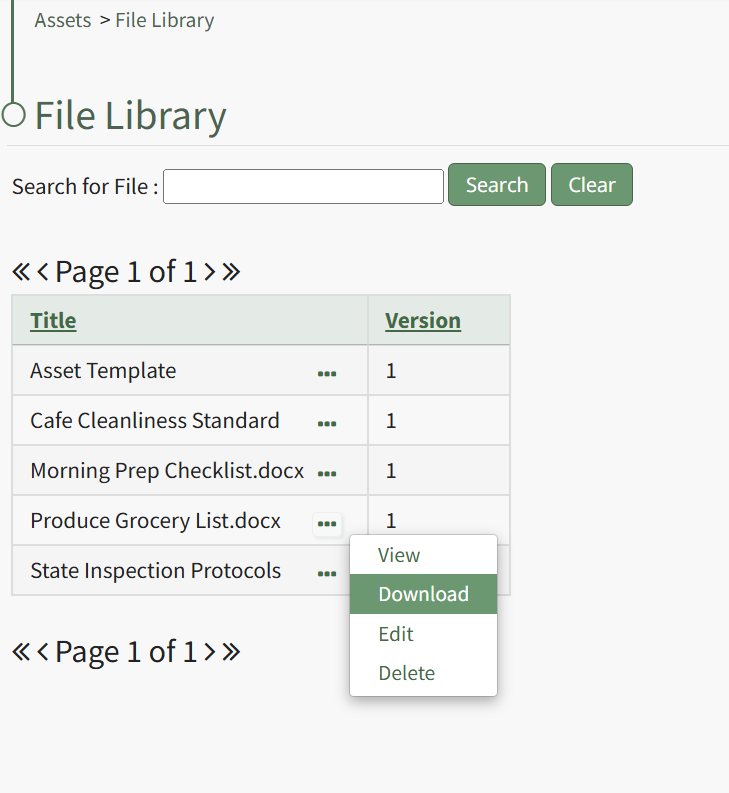
Select "Download" from the context menu and the file will automatically be downloaded to your personal device.
No comments to display
No comments to display