
Edit a User's Certification Completion / Expiration Dates
To edit a supervised user's certification completion or expiration dates, open the Users Page in the People Module and click the name of the user whose certification you want to attach a file or link to, opening the user's Certifications Details Page.
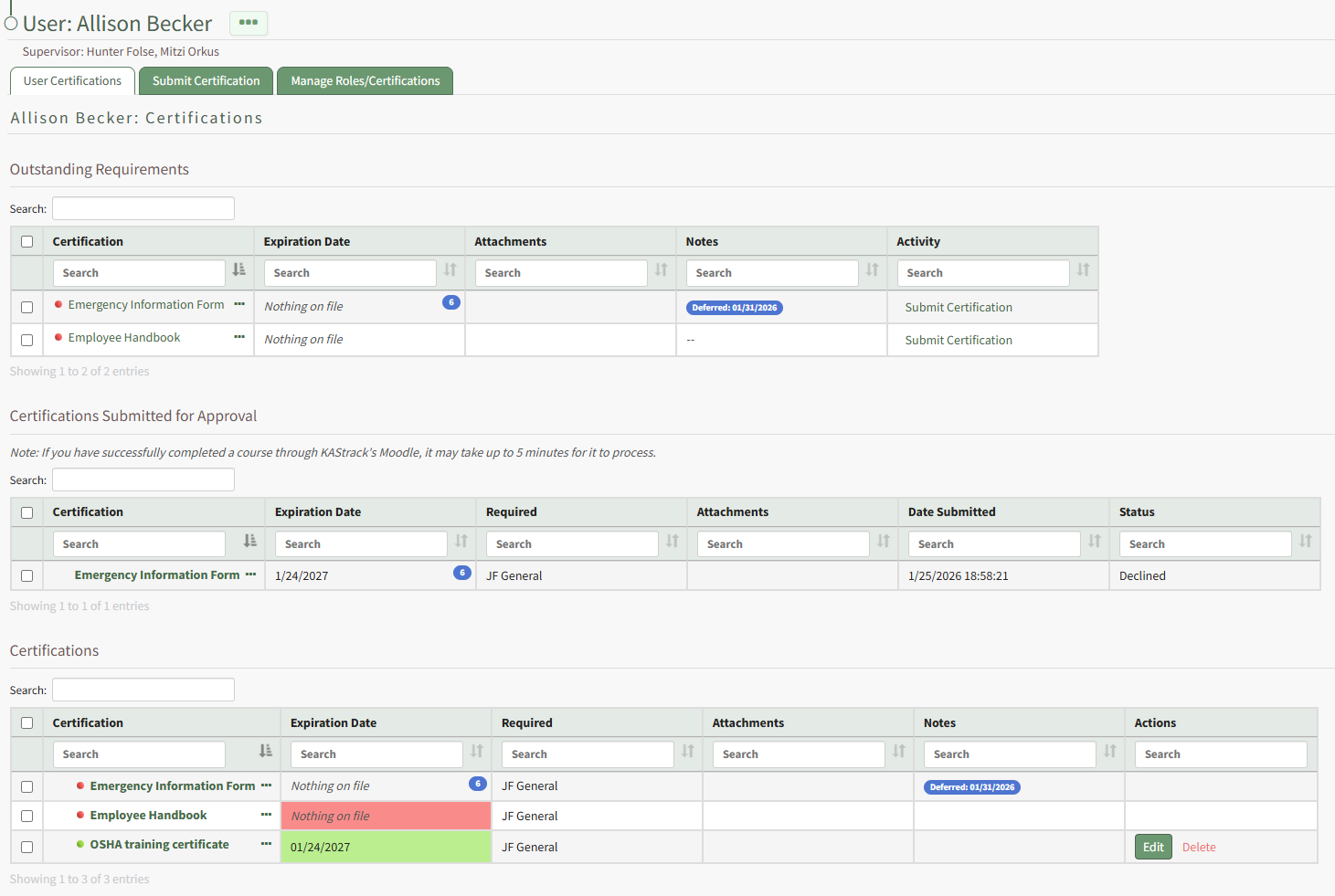
Click the Edit button in the Actions column to open the Edit Certification Modal.
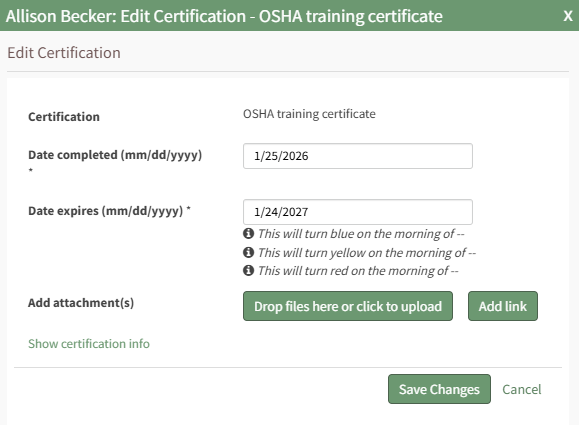
Editing the completion date will result in the system editing the certification expiration date. Select the Save Changes button.
Your edits will be reflected in the Certifications Table.
No comments to display
No comments to display