
Customize Your Default KAStrack Login Screen
By default, a user logging in to KAStrack will be taken to the Dashboard Module. The Home Page field allows a user to designate the URL within KAStrack of their preference.
To customize your KAStrack Home Page and open your user account to a page other than Dashboard, go to the Account Info Tab on the My Account Page of the Accounts Module.
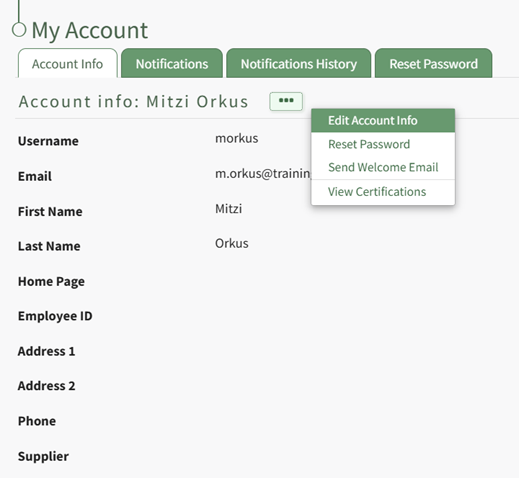
Select the three-dot icon opening the context menu and select “Edit Account Info”. This enables you to edit your own account information. Enter the page URL in this field if you wish to start on a different page than the Dashboard. For example, if you’d like to start in the Documents Module after login, set Home Page to: https://sitename.kastrack.com/r/documents.

As a shortcut, you can also simply use the part after the .com, entering /r/documents in the field.
After making changes to the account information, select “Save” and the changes made will be reflected on the Account Info: (User Name) Page.
No comments to display
No comments to display