
Edit the Columns on the All Entries Page Table
To edit the columns that show on the All Entries Table, open the attendance log you want to make changes in. You can access an attendance log on the Main Menu (if selected to be shown there) or from the Home Page of the Attendance Module.
How To: Show an Attendance Log on the Main Menu
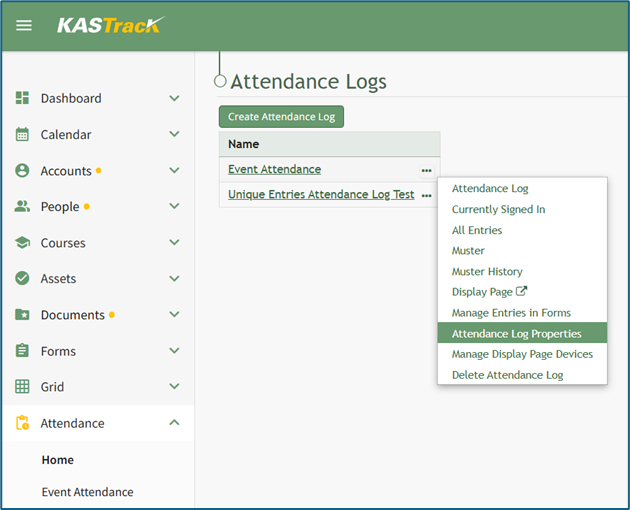
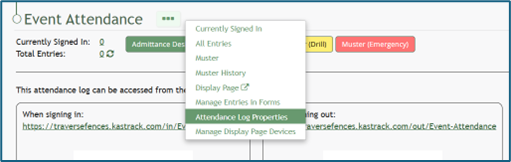
To show an attendance log on the main menu, open the attendance log and go to the Attendance Module Home Page. All available attendance logs will be visible in the table with a three-dot icon to the right of the attendance log’s name. Click the three-dot icon to open the context menu. Select “Attendance Log Properties.”
This opens the Attendance Log Properties Modal. Select the “Show In Main Menu” checkbox.
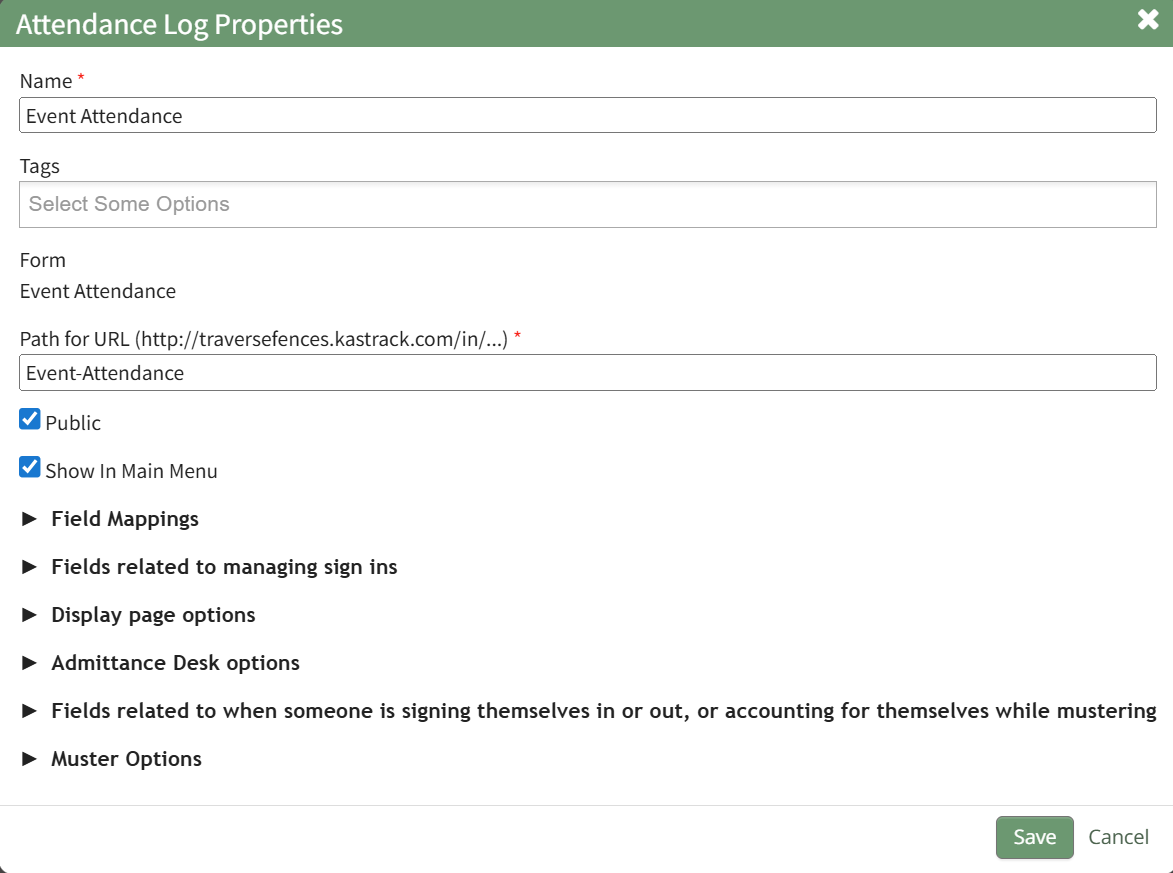
Click “Save” at the bottom of the Attendance Log Properties Modal.
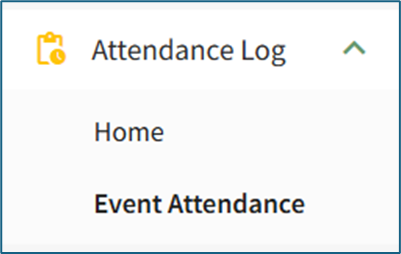
To see the attendance log as its own page in the Main Menu, refresh the page or log out and sign back in to KAStrack. The attendance log will now show as its own page in the Main Menu.
From the Home Page:
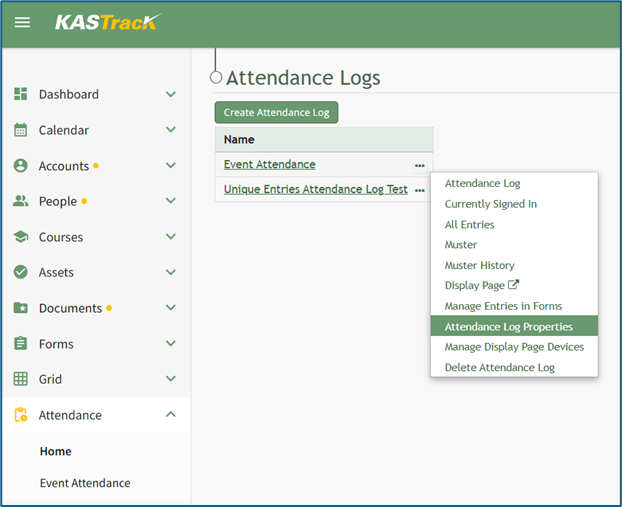
By going to the Attendance Module Home Page, all available attendance logs will be visible in the table, with a three-dot icon to the right of the attendance log’s name.
Click on the three-dot icon to the right of the attendance log’s name, which opens the context menu. Then, select “Attendance Log Properties.”
This opens the Attendance Log Properties Modal. The columns visible on the All Entries Table can be edited from the section titled Fields Related to Managing Sign Ins.
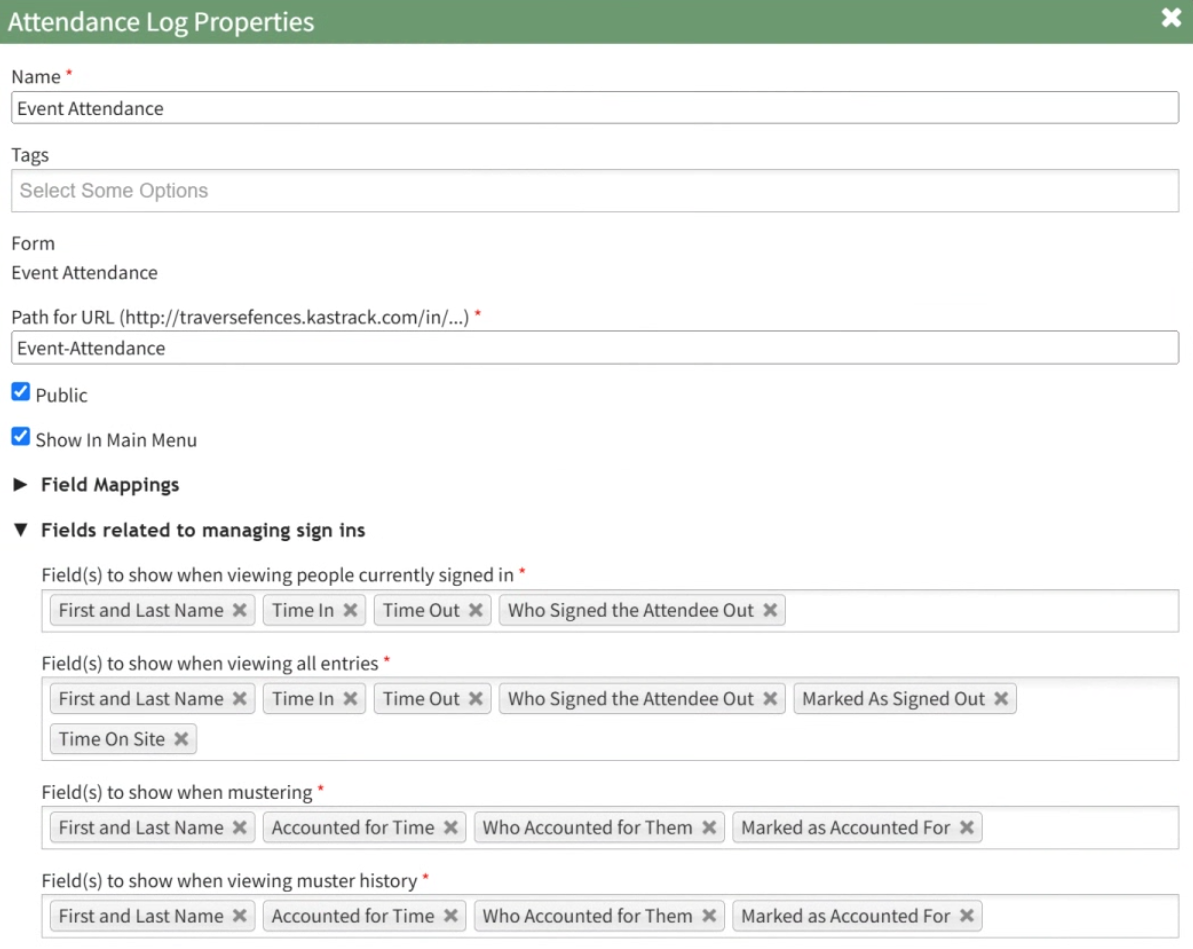
Add and remove fields as desired from the field named “Field(s) to show when viewing all entries”. The order of the fields here corresponds to the order of the columns in the All Entries Table.

Select “Save” at the bottom of the Attendance Log Properties Modal, and you can check your edits on the All Entries Page.
No comments to display
No comments to display