
Export Form Entries
To export form entries, go to the Forms Table on the Home Page of the Forms Module. Click the three-dot icon to the right of the title of the form from which you wish to export all entries opening the Forms Table context menu. Select “Manage Entries”.
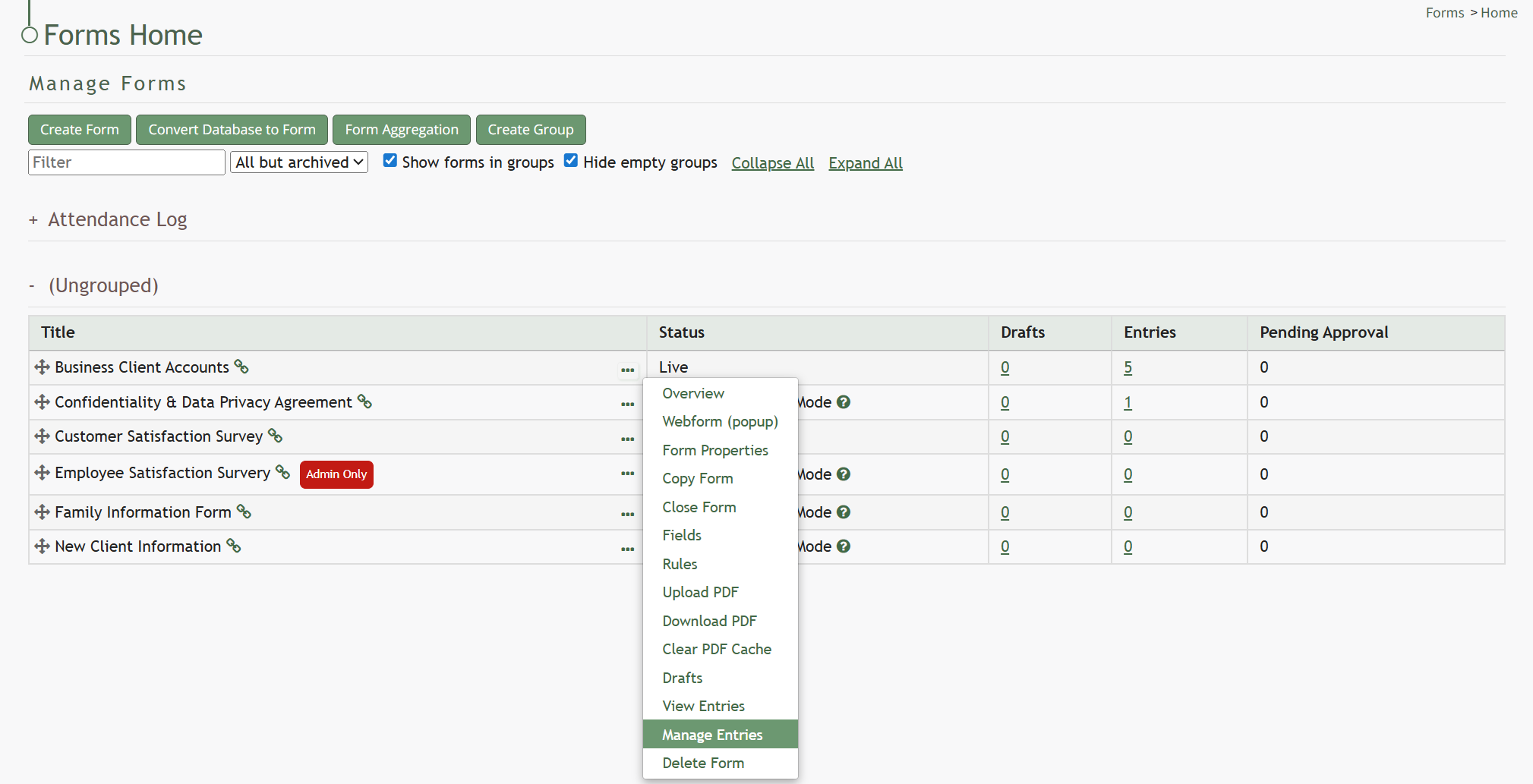
This opens the Manage Entries Page for the specific form of interest.
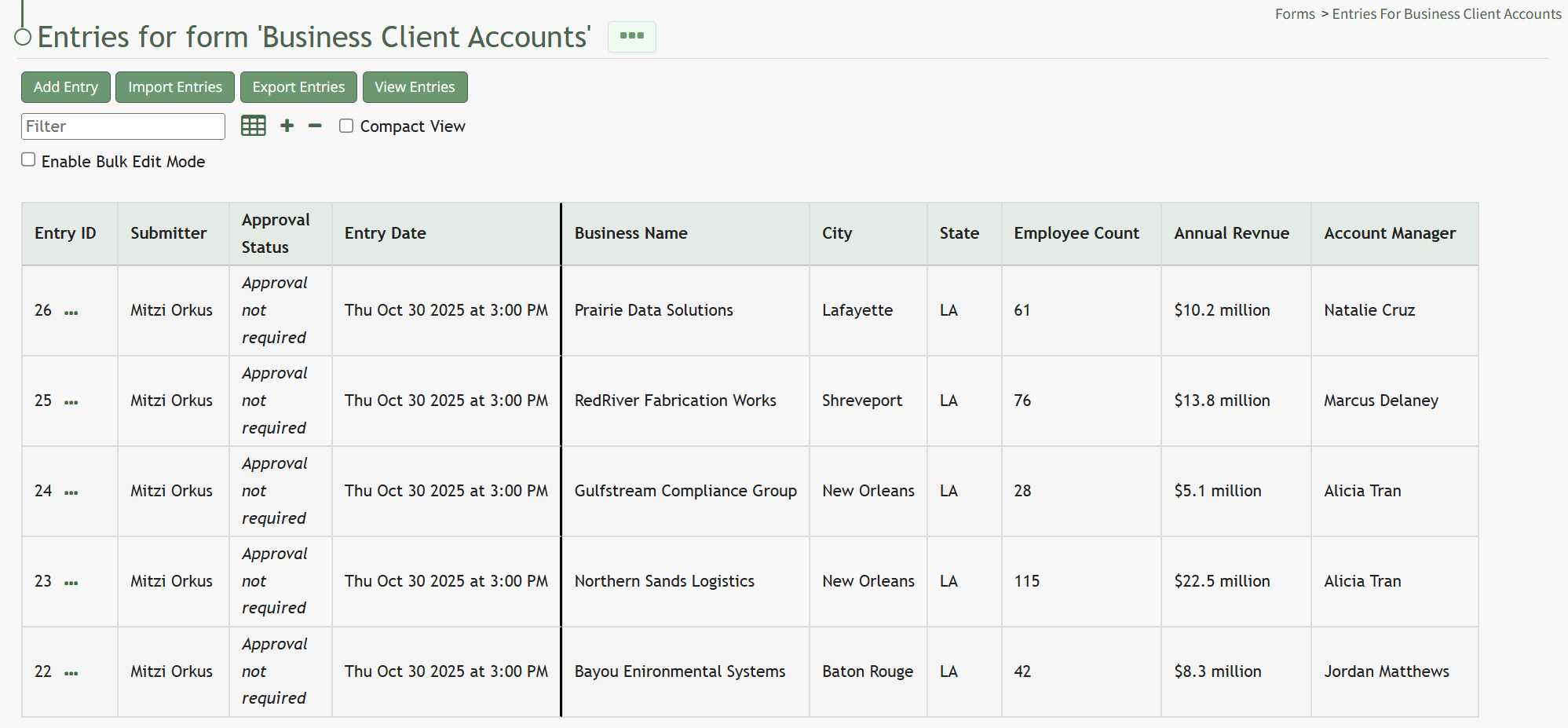
Select the “Export Entries” button under the Entries Page header. This automatically downloads a CSV file that can be accessed from the downloads folder on your personal device.
No comments to display
No comments to display