
Move an Asset/Component to Another Asset/Component
To move an existing asset to a new hierarchal position, under another asset/component, open the Manage Assets Page in the Assets Module on the Main Menu. Use filters as needed and identify the asset/component you want to move. Click the three-dot icon to the right of the asset title opening the Asset Management Context Menu.
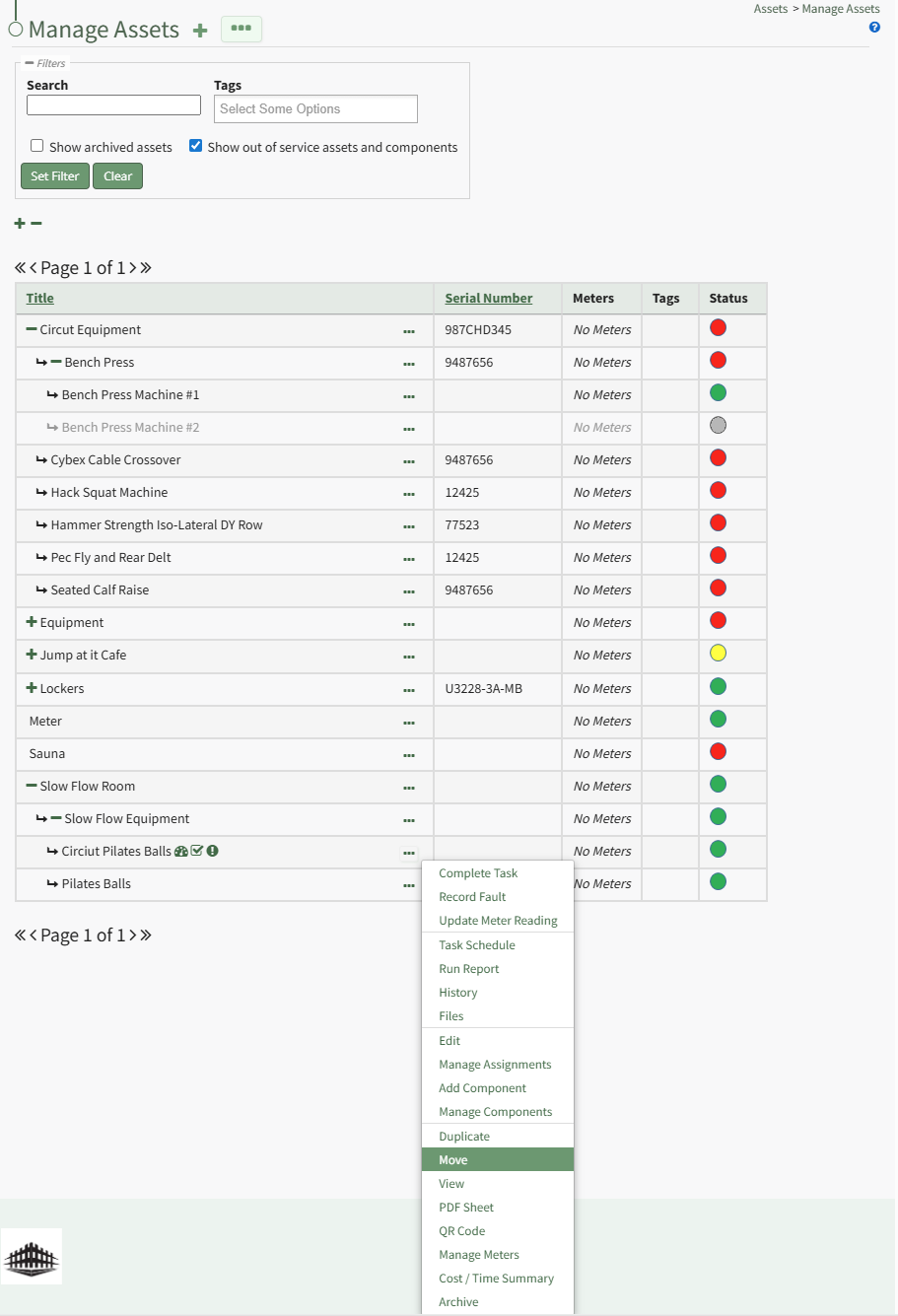
Select "Move" opening the Move Component Modal.
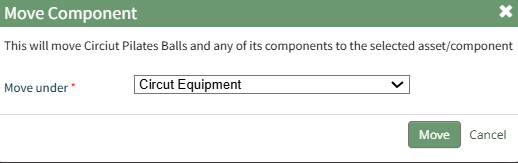
Click the "Move" button and a popup confirms the move was successful.

No comments to display
No comments to display