
Remove a Certification Role from a Company
To remove a certification role from a company, select Companies in the People Module on the Main Menu to open the Companies Page. Click on the name of a company you wish to remove a certification role from.
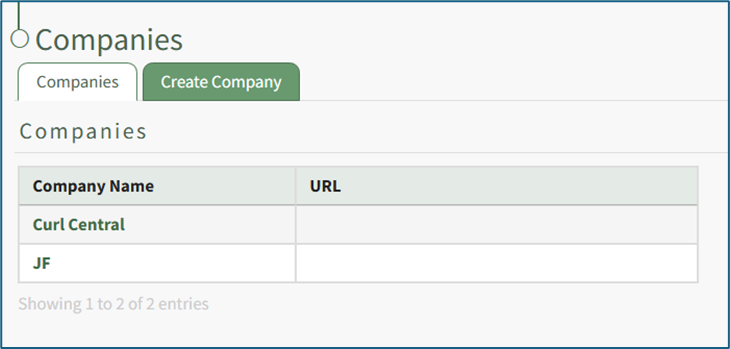
Clicking on the name of a Company will open the company's Detail Page that displays the Company Roles with their description.

Select the “Edit Company Roles” button to open the Company Roles Description Table.
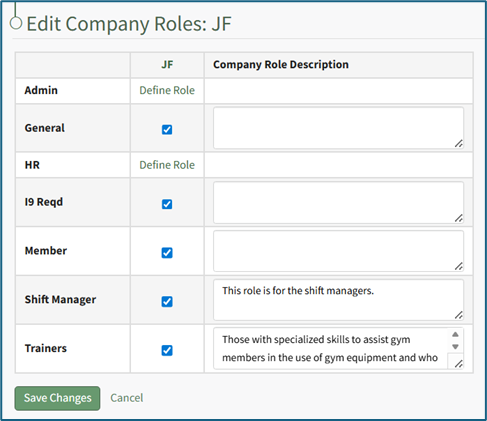
Certification roles will be listed in the first column. A checked checkbox indicates that the Certification Role has been defined and applies the company. Unchecking a checked checkbox means that this role should no longer be associated with this company.
Deselect the appropriate checkbox and select the "Save Changes" button.
A Certification Role Deletion Confirmation Modal opens and states “Are you sure you want to permanently delete the [Role Name] roles and any associated certification requirements?” Click "OK" on the confirmation popup and return to the company's details page. The certification role will be removed from the Company Certification Roles Table.
No comments to display
No comments to display