
Send a Shared Certifications Report via Email
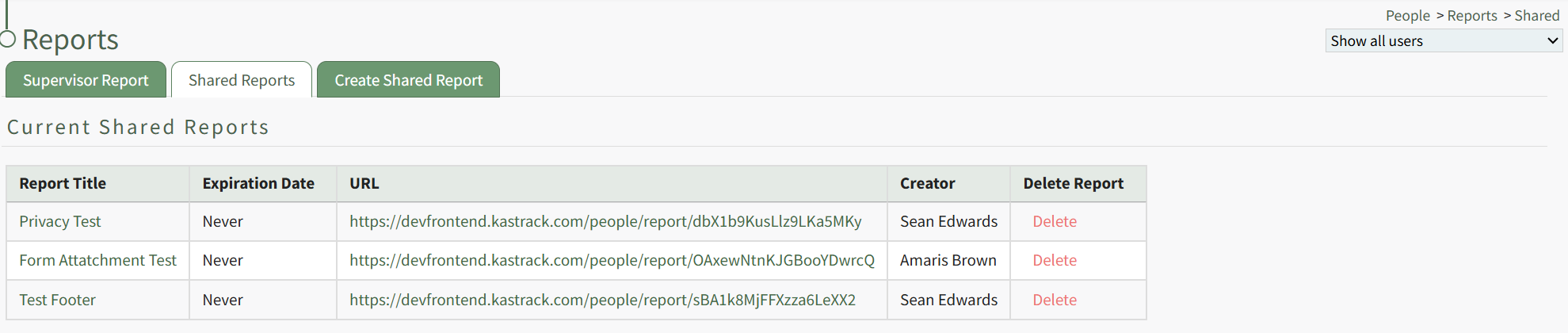
Click the title of the shared report you wish to email, opening a specific Shared Report Page.
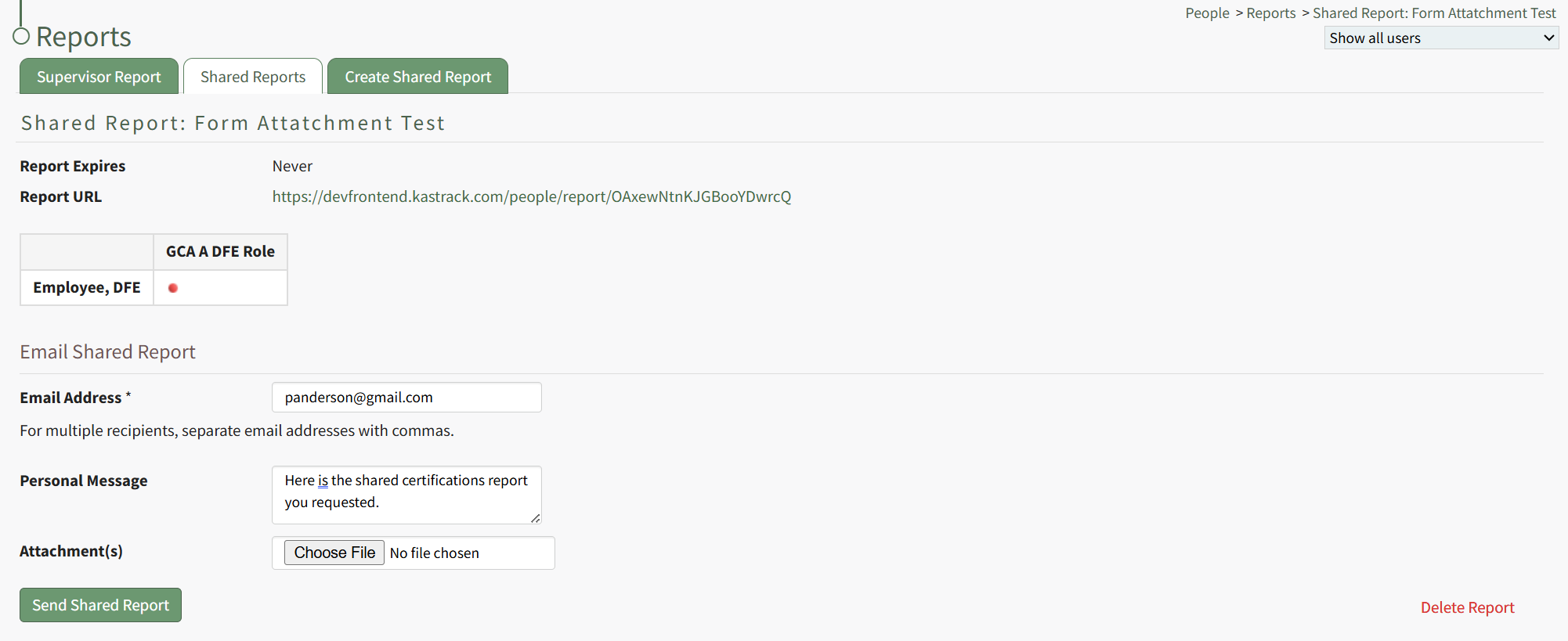
Input the email address(es) of the individuals you would like to share the shared certification reports with, using commas to separate email addresses as needed. Include a personal message and any desired file attachment(s). When done, click the "Send Shared Report" button.
Text appears above the button stating, "You successfully shared this report with panderson@gmail.com."
No comments to display
No comments to display