
Edit Required Certifications for a Certification Role
To edit the required certifications for a specified certification role, select Roles in the People Module from the Main Menu to open the Certification Roles Page.
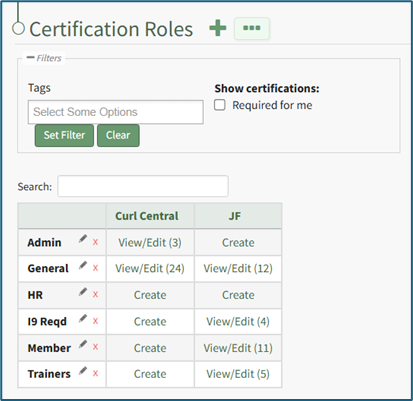
Identify the certification role whose required certifications you wish to edit and click the “View/Edit (#)” clickable link to open the specified certification role's Details Page. Open the Required Certifications Tab.
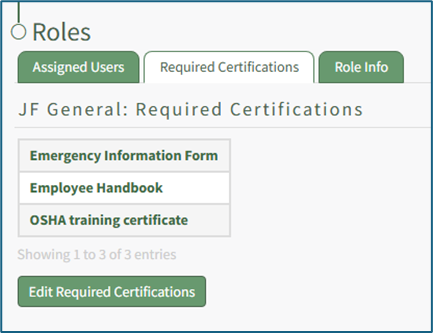
Click the “Edit Required Certifications” button to open the Edit Required Certifications page.
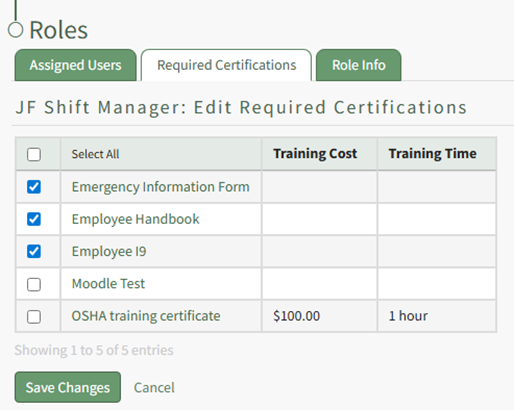
Select the checkboxes for the required certifications you would like to add to the certification role or deselect the checkboxes for required certifications that you no longer wish to be required.
Use the checkbox in the header row to select/deselect all available Certifications.
Select the “Save Changes” button to save the changes made and return to the Required Certifications Tab.
No comments to display
No comments to display